


3 Post Moderation Rule for New Boarders (25 Jan 2021)
New boarders will have their posts moderated - Don't worry if you cannot see your post immediately.
HOW TO UNINSTALL CHV PLUGIN BUNDLE FROM FCPX


Anyone know how to get rid of these? CHV support doesn't respond.
Creating history....one edit at a time !
Please Log in to join the conversation.


Macintosh HD / Library / Plug-Ins / FxPlug
Please Log in to join the conversation.
Creating history....one edit at a time !
Please Log in to join the conversation.

Please Log in to join the conversation.
- ronny courtens
-

- Offline
- Moderator
-

- Posts: 4455
- Thank you received: 962
Please Log in to join the conversation.
A spotlight search turned up nothing.
I will try again to contact CHV.
Thanks
Creating history....one edit at a time !
Please Log in to join the conversation.
- ronny courtens
-
- Offline
- Moderator
-
- Posts: 4455
- Thank you received: 962
Maybe a stupid question, but did you close FCP10 before deleting the files?
Please Log in to join the conversation.
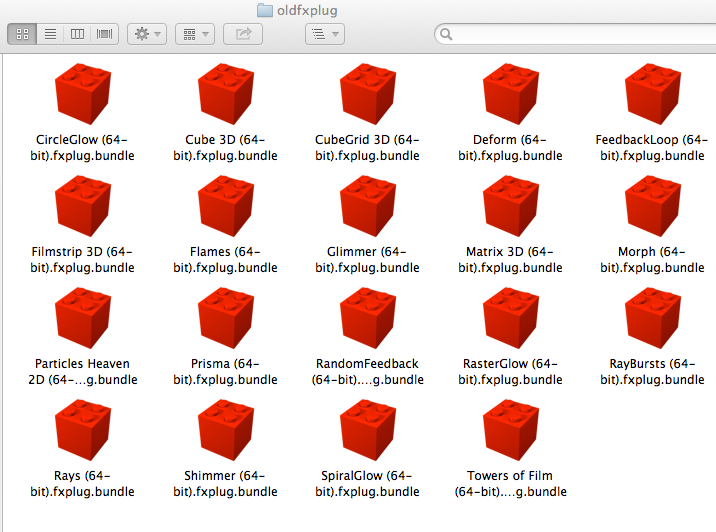
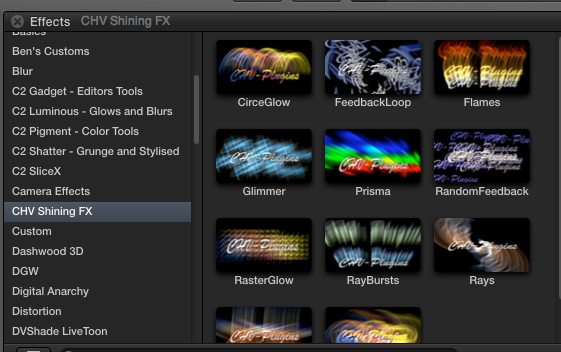
Creating history....one edit at a time !
Please Log in to join the conversation.
- ronny courtens
-
- Offline
- Moderator
-
- Posts: 4455
- Thank you received: 962
Username > Library > Receipts.
You also should check Boot Drive > Library > Receipts and delete any relevant ".pkg" files.
In Library > Receipts you will also find a "boms" folder with relevant ".bom" files.
Please Log in to join the conversation.
Creating history....one edit at a time !
Please Log in to join the conversation.
- ronny courtens
-
- Offline
- Moderator
-
- Posts: 4455
- Thank you received: 962
Last thing I can think of is maybe deleting your FCP10 prefs, but I'm not sure if this will do anything to make them disappear from your browser. Or maybe trash the temp folder that's on your desktop to make sure there is no trace of these plugins on your computer anymore?
Please Log in to join the conversation.
I did take your suggestion and emailed again to Christoph and we'll see what he has to say. I will be sure to post back my cure (hopefully if I get one) to this problem.
Creating history....one edit at a time !
Please Log in to join the conversation.
Please Log in to join the conversation.
Creating history....one edit at a time !
Please Log in to join the conversation.
- ronny courtens
-
- Offline
- Moderator
-
- Posts: 4455
- Thank you received: 962
Please Log in to join the conversation.
/Library/Application Support/Final Cut Pro/Templates
Looks like this is another version of the "Motion Templates" but for all users on the machine. Very interesting. Might be a way to ensure all users of a machine have all the same effects.
(BTW. I got this by reinstalling the CHV and then using an app called "CleanMyMac" to remove it. )
Please Log in to join the conversation.
- ronny courtens
-
- Offline
- Moderator
-
- Posts: 4455
- Thank you received: 962
Please Log in to join the conversation.
Thank you so much for looking into this. That definitely solved the problem. I noticed there are quite a few other vendors whose plugins get installed into that location also, such as MBL2, Tonalizer, Coremelt, Irudis and others. Great to know...thanks again !
Creating history....one edit at a time !
Please Log in to join the conversation.
