


- Posts: 60
- Thank you received: 0
3 Post Moderation Rule for New Boarders (25 Jan 2021)
New boarders will have their posts moderated - Don't worry if you cannot see your post immediately.
DVD Stdio Pro ~ Help Wanted!
28 Jul 2012 01:57 #12215
by AndyKamo
DVD Stdio Pro ~ Help Wanted! was created by AndyKamo
Hello! I've been having some trouble with DVD SP lately... When I add my project to a Track and go to change the Resolution but it wont let me change... It remains on 720x480i... I've even tried changing the track before putting the video and sound in it but it will change back to 720x480i... When I simulate the movie on DVD SP as 720x480i it looks fine but when I burn it on a DVD and watch it on my TV it looks horrible... I dont know what I'm doing wrong, can someone please help me and explain to me how I would go about changing the resolution to something much better such as 1280x720p. Thank you in advance to anyone who takes the time to help me out!
- Andy K
- Andy K
Please Log in to join the conversation.
28 Jul 2012 02:02 #12216
by cgbier
Replied by cgbier on topic Re: DVD Stdio Pro ~ Help Wanted!
If you want more than 480i, you need to switch to BluRay. 480i is DVD standard.
Please Log in to join the conversation.
28 Jul 2012 04:41 #12224
by cgbier
Replied by cgbier on topic Re: DVD Stdio Pro ~ Help Wanted!
Are you watching your DVDs on a flat screen? Does your DVD player uprez your movie to 1080? What are your Compressor settings? Do you run the encoder twice (best quality setting)?
Please Log in to join the conversation.
- Scrubelicious
-

- Offline
- Platinum Member
-

Less
More
- Posts: 1228
- Thank you received: 114
28 Jul 2012 06:52 #12227
by Scrubelicious
Replied by Scrubelicious on topic Re: DVD Stdio Pro ~ Help Wanted!
What resolution and format are assets that your sending to DVDSP?
Please Log in to join the conversation.
28 Jul 2012 07:41 #12230
by AndyKamo
Replied by AndyKamo on topic Re: DVD Stdio Pro ~ Help Wanted!
Yes, I am watching it on a Flat Screen through a HDMI that is connected to my laptop which is running the CD. The DVD does enlarge the picture to fit the screen, not automatically. For compressor settings I use the Dolby Digital Professional and the MPEG-2 for DVD under the Disc Burning folder. Encoder, I am not sure of what that is, after I apply the settings I go straight to submit. Am I missing a step? Or am I choosing the incorrect settings?
Thank you for taking the time to help me out, your support is greatly appreciated!
Thank you for taking the time to help me out, your support is greatly appreciated!
Please Log in to join the conversation.
28 Jul 2012 07:44 #12231
by AndyKamo
Replied by AndyKamo on topic Re: DVD Stdio Pro ~ Help Wanted!
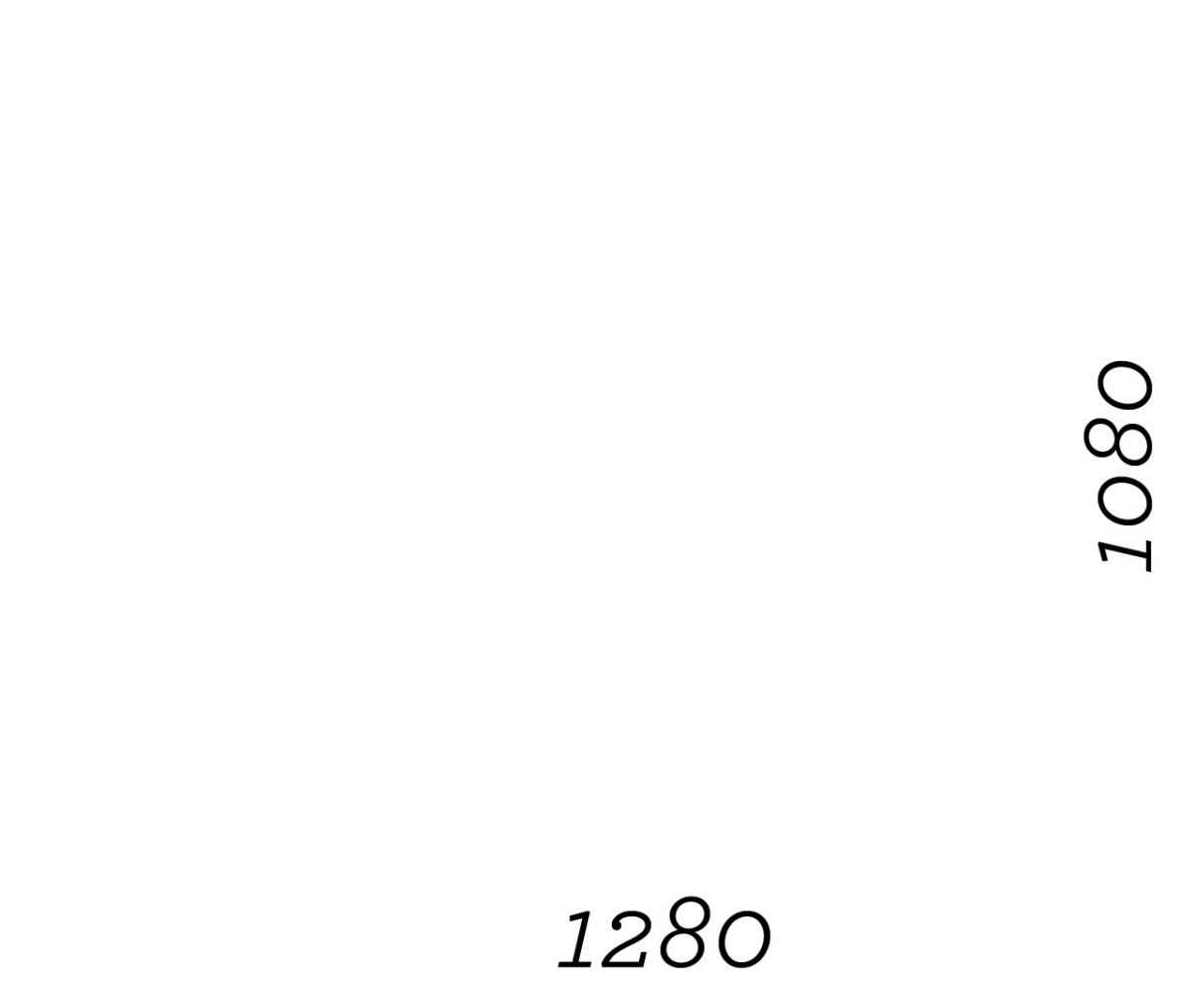
The resolution is 1280x1080 and the format is 1080p.
Thanks for also replying to this topic!
Thanks for also replying to this topic!
Please Log in to join the conversation.
28 Jul 2012 08:16 #12232
by cgbier
Replied by cgbier on topic Re: DVD Stdio Pro ~ Help Wanted!
That means you compss it twice? First from 1080 to 720, then 480? There is one reason why you lose quality. The second thing is that you stretch your 480 to fit on a 1080 screen. That can't look good.
Please Log in to join the conversation.
28 Jul 2012 08:17 #12233
by cgbier
Replied by cgbier on topic Re: DVD Stdio Pro ~ Help Wanted!
DVD are a leftover of the 90s. They are meant to be watched on a CRT tv, not a flat screen.
Please Log in to join the conversation.
28 Jul 2012 08:33 #12234
by AndyKamo
Replied by AndyKamo on topic Re: DVD Stdio Pro ~ Help Wanted!
I dont follow, my resolution is 1280x1080. with a 1080p Format and 60fps. After Applying the settings in compressor I hit submit and take that to DVD SP. For the second reason how would I avoid stretching and make the video the required resolution?
Please Log in to join the conversation.
- Scrubelicious
-
- Offline
- Platinum Member
-
Less
More
- Posts: 1228
- Thank you received: 114
28 Jul 2012 15:08 #12241
by Scrubelicious
Replied by Scrubelicious on topic Re: DVD Stdio Pro ~ Help Wanted!
What codec setting's are you applying to the project in compressor? Make sure you have the correct settings set for your DVD in DVD Studio Pro.
For example Anamorphic, Resolution and etc. did you look at the link from your other thread here?
It will tell you which formats are supported.
For example Anamorphic, Resolution and etc. did you look at the link from your other thread here?
It will tell you which formats are supported.
Please Log in to join the conversation.
- MotionBlur
-

- Offline
- Junior Member
-

Less
More
- Posts: 24
- Thank you received: 0
28 Jul 2012 15:52 #12243
by MotionBlur
Replied by MotionBlur on topic Re: DVD Stdio Pro ~ Help Wanted!
1280x1080 @ 60fps? No wonder it looks bad. 1280x1080 is not a proper widescreen ratio.
You won't get anything HD onto a DVD, its just not how its built. If you are playing from your computer via HDMI why not just watch an HD Quicktime file.
You won't get anything HD onto a DVD, its just not how its built. If you are playing from your computer via HDMI why not just watch an HD Quicktime file.
Please Log in to join the conversation.
- Scrubelicious
-
- Offline
- Platinum Member
-
Less
More
- Posts: 1228
- Thank you received: 114
28 Jul 2012 15:56 - 28 Jul 2012 15:58 #12244
by Scrubelicious
Replied by Scrubelicious on topic Re: DVD Stdio Pro ~ Help Wanted!
This is not fully true you can put HD footage on DVD, it will be limited on time.
I am guessing he means 1280x720 but not sure... that is a funky resolution. :woohoo:
I am guessing he means 1280x720 but not sure... that is a funky resolution. :woohoo:
Last edit: 28 Jul 2012 15:58 by Scrubelicious.
Please Log in to join the conversation.
28 Jul 2012 18:43 #12248
by AndyKamo
Replied by AndyKamo on topic Re: DVD Stdio Pro ~ Help Wanted!
All that I apply to the project in Compressor are the Dolby Digital Professional and MPEG-2 for DVD under the Disc Burning Folder. For the 1280x1080 Resolution, I choose that from FCPX itself when creating a new project. I'm not sure of the resolution for the original Footage.
Please Log in to join the conversation.
