


- Posts: 85
- Thank you received: 0
3 Post Moderation Rule for New Boarders (25 Jan 2021)
New boarders will have their posts moderated - Don't worry if you cannot see your post immediately.
Recommendation for a new Mac Editing System
07 Jul 2012 19:54 #11057
by hcraig
Recommendation for a new Mac Editing System was created by hcraig
Hi,
I’m new to the forum and in need of some advice. I'm going to be editing short films, web videos and documentaries which will be shot with a Canon T3i and uploaded to YouTube, Vimeo and Facebook. Some videos will be shot using green screen. I would eventually like to edit a feature.
With the iMacs and Mac Towers currently on the market, could someone please suggest some configuration options for a new MAC edit system which uses FCP X?
What other accessories will I need for this system – audio mixer, external hard drives, second monitor, etc.?
I appreciate any feedback.
Thanks!
I’m new to the forum and in need of some advice. I'm going to be editing short films, web videos and documentaries which will be shot with a Canon T3i and uploaded to YouTube, Vimeo and Facebook. Some videos will be shot using green screen. I would eventually like to edit a feature.
With the iMacs and Mac Towers currently on the market, could someone please suggest some configuration options for a new MAC edit system which uses FCP X?
What other accessories will I need for this system – audio mixer, external hard drives, second monitor, etc.?
I appreciate any feedback.
Thanks!
Please Log in to join the conversation.

07 Jul 2012 21:29 - 07 Jul 2012 21:31 #11059
by BenB
Replied by BenB on topic Re: Recommendation for a new Mac Editing System
In a perfect world, 6-core Mac Pro (why is there no more 8-core?), 16GB RAM, 4 3TB internal drives (1 OS, 1 media, 1 OS backup, 1 media backup), 5870 graphics card, AJA Kona LHi card, Flanders Scientific 21.5" broadcast monitor. FCP X, Motion 5, Compressor 4, Aperture, Logic Pro, Pixelmator, Sketch.
On a budget, iMac, 16GB RAM, internal SSD drive for OS, internal 1TB drive for media. FCP X, Motion 5, Compressor 4, Pixelmator.
On a budget, iMac, 16GB RAM, internal SSD drive for OS, internal 1TB drive for media. FCP X, Motion 5, Compressor 4, Pixelmator.
Last edit: 07 Jul 2012 21:31 by BenB.
Please Log in to join the conversation.
07 Jul 2012 22:45 #11065
by DaveG
I'm ready to completely make the move from Adobe and MS Office products (I'm already using OpenOffice).
Thanks,
Dave
Replied by DaveG on topic Re: Recommendation for a new Mac Editing System
I've heard good things about this program via Macintouch.com the last couple of years. Price is right. I'm guessing you've spent many a year in PhotoShop. What are your thoughts in comparing the two?BenB wrote: Pixelmator.
I'm ready to completely make the move from Adobe and MS Office products (I'm already using OpenOffice).
Thanks,
Dave
Please Log in to join the conversation.
07 Jul 2012 22:58 - 07 Jul 2012 22:59 #11067
by BenB
Replied by BenB on topic Re: Recommendation for a new Mac Editing System
I've used Photoshop since my first Mac Plus. I still have an old copy of Photoshop CS3 on my Mac Pro system. I had problems getting the install to work on my MBP and Adobe's tech support got the serial number crap so convoluted and ridiculous I swore to find an alternative and never touch PS again.
I now use either Aperture or Pixlemator (or both), depending on what I need to do. Have been working this way for a very long time, love it. Pixelmator has some awesome tutorials on their web site to get up and running, too.
I've been using iWork for a long time, my whole business runs on it. Very worth while, especially since I travel a lot, run things off an iPad, the sync and stuff is awesome. Pages, Numbers, Keynote, super fast and easy to use. Integrates with all my other Apple software pretty seamlessly. They do everything I need to run my business. I'll never touch anything else.
I now use either Aperture or Pixlemator (or both), depending on what I need to do. Have been working this way for a very long time, love it. Pixelmator has some awesome tutorials on their web site to get up and running, too.
I've been using iWork for a long time, my whole business runs on it. Very worth while, especially since I travel a lot, run things off an iPad, the sync and stuff is awesome. Pages, Numbers, Keynote, super fast and easy to use. Integrates with all my other Apple software pretty seamlessly. They do everything I need to run my business. I'll never touch anything else.
Last edit: 07 Jul 2012 22:59 by BenB.
Please Log in to join the conversation.
07 Jul 2012 23:13 #11071
by DaveG
"I've used Photoshop since my first Mac Plus."
I still have my old Mac Plus in a box in the garage. Haven't boot it up in years, so it may not any more. I remember starting with PhotoShop 3.0.5, but I think I used it on my next Mac which was a PPC 7200 (later on I upgraded the motherboard to a 7500 so I could swap out the daughter card to something faster). Sadly, I still have that computer too.
Anyway, I will likely pick up Pixelator in the near future when I have some time to futz with it.
Dave
Replied by DaveG on topic Re: Recommendation for a new Mac Editing System
Good to know.BenB wrote: I've used Photoshop since my first Mac Plus. I still have an old copy of Photoshop CS3 on my Mac Pro system. I had problems getting the install to work on my MBP and Adobe's tech support got the serial number crap so convoluted and ridiculous I swore to find an alternative and never touch PS again.
I now use either Aperture or Pixlemator (or both), depending on what I need to do. Have been working this way for a very long time, love it. Pixelmator has some awesome tutorials on their web site to get up and running, too.
I've been using iWork for a long time, my whole business runs on it. Very worth while, especially since I travel a lot, run things off an iPad, the sync and stuff is awesome. Pages, Numbers, Keynote, super fast and easy to use. Integrates with all my other Apple software pretty seamlessly. They do everything I need to run my business. I'll never touch anything else.
"I've used Photoshop since my first Mac Plus."
I still have my old Mac Plus in a box in the garage. Haven't boot it up in years, so it may not any more. I remember starting with PhotoShop 3.0.5, but I think I used it on my next Mac which was a PPC 7200 (later on I upgraded the motherboard to a 7500 so I could swap out the daughter card to something faster). Sadly, I still have that computer too.
Anyway, I will likely pick up Pixelator in the near future when I have some time to futz with it.
Dave
Please Log in to join the conversation.
07 Jul 2012 23:32 #11072
by hcraig
Replied by hcraig on topic Re: Recommendation for a new Mac Editing System
Hi Ben,
Thanks for answering my post. Why do you think only 1 TB is sufficient for an internal media drive?
Do you use any additional external hard drives?
Can a second computer monitor and a TV monitor be integrated into an iMac system?
Is there a need for an audio mixer with either system?
Thanks!
Thanks for answering my post. Why do you think only 1 TB is sufficient for an internal media drive?
Do you use any additional external hard drives?
Can a second computer monitor and a TV monitor be integrated into an iMac system?
Is there a need for an audio mixer with either system?
Thanks!
Please Log in to join the conversation.
08 Jul 2012 00:56 #11073
by BenB
Replied by BenB on topic Re: Recommendation for a new Mac Editing System
1TB cause I don't think Apple puts a larger one in there. I don't "think".
You could use FW800 drives, but they'll bog down with larger projects. Thunderbolt drives are awesome, but pricey.
You can use a second Apple Thunderbolt Monitor, they're super nice.
No, at this time, FCP X does not support control surfaces outside of job/shuttle wheels.
You could use FW800 drives, but they'll bog down with larger projects. Thunderbolt drives are awesome, but pricey.
You can use a second Apple Thunderbolt Monitor, they're super nice.
No, at this time, FCP X does not support control surfaces outside of job/shuttle wheels.
Please Log in to join the conversation.

08 Jul 2012 03:43 - 08 Jul 2012 03:49 #11077
by Seanus
Sean Lander - Editing since 1982 - AVID 1991 - FCP 1999 - FCPX 2011
Replied by Seanus on topic Re: Recommendation for a new Mac Editing System
Wow I just bought Pixelmator on the strength of Ben's recommendation. What an incredible program!
I just wonder two things. Did Apple send over a bunch of engineers to work on this in stealth? Why haven't Adobe sued their asses into non existence?
Either way this program is brilliant. Way more powerful than I thought it was going to be.
Thanks Ben. Apart from Flash my system is now Adobe free.
I just wonder two things. Did Apple send over a bunch of engineers to work on this in stealth? Why haven't Adobe sued their asses into non existence?
Either way this program is brilliant. Way more powerful than I thought it was going to be.
Thanks Ben. Apart from Flash my system is now Adobe free.
Sean Lander - Editing since 1982 - AVID 1991 - FCP 1999 - FCPX 2011
Last edit: 08 Jul 2012 03:49 by Seanus.
Please Log in to join the conversation.
08 Jul 2012 05:19 - 08 Jul 2012 05:24 #11081
by BenB
Replied by BenB on topic Re: Recommendation for a new Mac Editing System
Why do you have Flash? Adobe is dropping it. They have HTML5 tools now. They have a tool to convert Flash to HTML5. They just announced dropping Flash from the Android platform. Get off it. Sorry, couldn't resist. I just am not a Flash fan these days. Personal prejudice, that's all.
In that vein, I'm also starting to experiment with Hype for doing HTLM5 stuff. Working on changing all my sites to Hype, and get off the now dead iWeb. Which I expected to turn HTML5 at some point, rather than being killed off. Apple, who knows...
Oh, Pixelmator, it's all base off of Quartz Composer. Which means there's probably a way to add your own plugins to it, if you know Quartz Composer that well. I don't...
LOVE the interface, too! What is Adobe's problem with the outdated PC interface paradigms? Geez! Even AE is visually a PITA to deal with! Geez...
Speaking of which, while I'm mindlessly ranting, I'm doing more of my old Photoshop drawing work in Motion now, more than ever. It's vector graphics, awesome shape control and customization, I can do stuff in Motion that PS can't touch. So be aware Motion is a fantastic graphics drawing tool, without ever touching the "Motion" part. Wish I'd had wised up to this a long time ago.
In that vein, I'm also starting to experiment with Hype for doing HTLM5 stuff. Working on changing all my sites to Hype, and get off the now dead iWeb. Which I expected to turn HTML5 at some point, rather than being killed off. Apple, who knows...
Oh, Pixelmator, it's all base off of Quartz Composer. Which means there's probably a way to add your own plugins to it, if you know Quartz Composer that well. I don't...
LOVE the interface, too! What is Adobe's problem with the outdated PC interface paradigms? Geez! Even AE is visually a PITA to deal with! Geez...
Speaking of which, while I'm mindlessly ranting, I'm doing more of my old Photoshop drawing work in Motion now, more than ever. It's vector graphics, awesome shape control and customization, I can do stuff in Motion that PS can't touch. So be aware Motion is a fantastic graphics drawing tool, without ever touching the "Motion" part. Wish I'd had wised up to this a long time ago.
Last edit: 08 Jul 2012 05:24 by BenB.
Please Log in to join the conversation.

08 Jul 2012 05:56 #11085
by fcpguru
Replied by fcpguru on topic Re: Recommendation for a new Mac Editing System
I know Apple recently helped some large edit facilities install a bunch of fcpx workstations. I believe the machines they put in were 27" iMacs with the upgraded i7 processors, 16gb ram, the 2gb ati graphics card, and thunderbolt Pegasus r6 raid arrays. I have a similar setup at home and LOVE IT.
Please Log in to join the conversation.
08 Jul 2012 06:08 #11086
by Seanus
Sean Lander - Editing since 1982 - AVID 1991 - FCP 1999 - FCPX 2011
Replied by Seanus on topic Re: Recommendation for a new Mac Editing System
I actually just meant the flash player I still need in Safari.
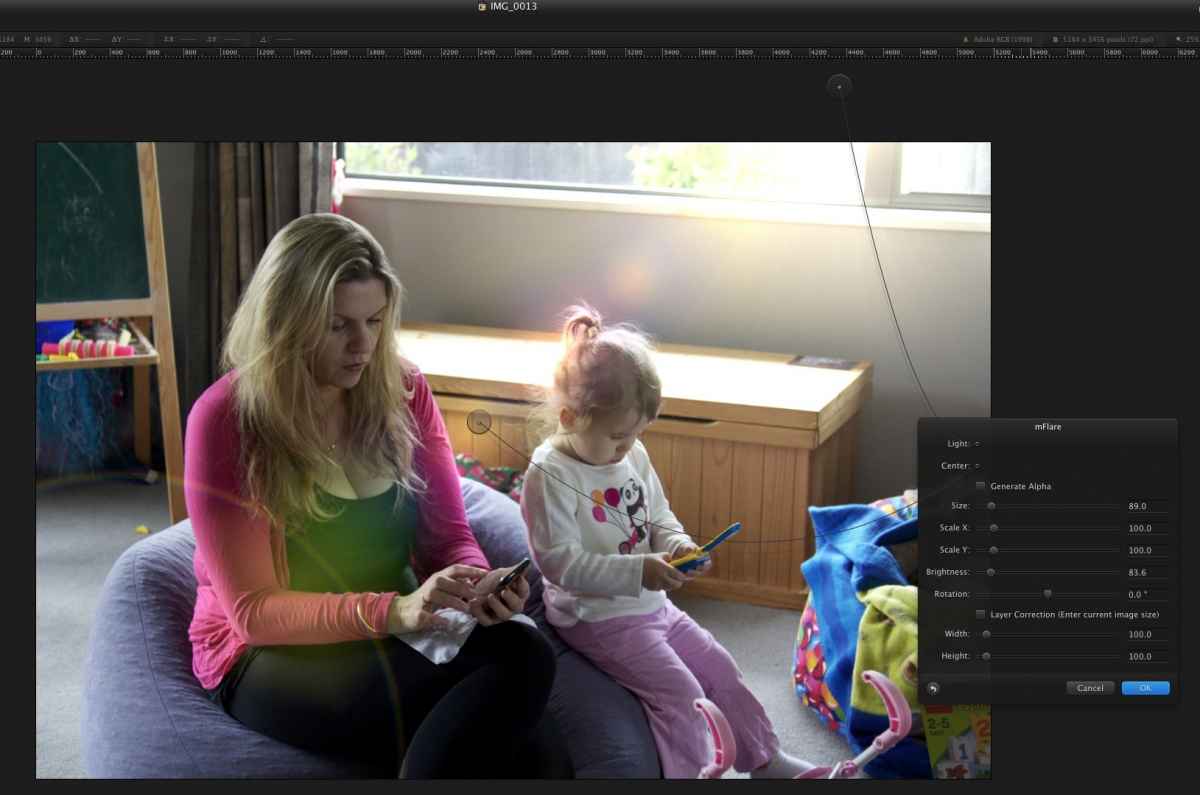
So happy to also find that my copy of mFlare works inside Pixelmator.
So happy to also find that my copy of mFlare works inside Pixelmator.
Sean Lander - Editing since 1982 - AVID 1991 - FCP 1999 - FCPX 2011
Please Log in to join the conversation.
08 Jul 2012 06:14 #11087
by BenB
Replied by BenB on topic Re: Recommendation for a new Mac Editing System
Seanus, mFlare works inside Pixelmator? Really? Very cool! Very much so!
fcpguru, what facilities where those?
fcpguru, what facilities where those?
Please Log in to join the conversation.
08 Jul 2012 08:27 #11088
by cgbier
Replied by cgbier on topic Re: Recommendation for a new Mac Editing System
I have Pixelmator installed, but rarely use it. I'm a GIMP guy, despite it being based on X11. It's easier to work with GIMP for me (using it since the first public release).
Please Log in to join the conversation.
08 Jul 2012 09:20 #11090
by NocoDave
I had a bit of trouble using a second monitor on my iMac, sometimes the cursor would vanish when I went to the secondary display, but turning my magic mouse on then back off would always bring it back. I use a Wacom tablet, the mouse sits turned off in a drawer, I did wonder if this was just a driver conflict.
But more importantly FCPX became pretty clunky no navigate, especially with the video scopes open. I'm only running a 512MB HD 6750M graphics card and I'm back to just using the single display now but I was using a 22" secondary display plugged into the thunderbolt port on a mid 2011 21.5 iMac via DVI and a mini display port adapter.
If a secondary display is important to you for running FCPX it looks like you'd wan't a beefier graphics card in an iMac.
Replied by NocoDave on topic Re: Recommendation for a new Mac Editing System
Can a second computer monitor and a TV monitor be integrated into an iMac system?
I had a bit of trouble using a second monitor on my iMac, sometimes the cursor would vanish when I went to the secondary display, but turning my magic mouse on then back off would always bring it back. I use a Wacom tablet, the mouse sits turned off in a drawer, I did wonder if this was just a driver conflict.
But more importantly FCPX became pretty clunky no navigate, especially with the video scopes open. I'm only running a 512MB HD 6750M graphics card and I'm back to just using the single display now but I was using a 22" secondary display plugged into the thunderbolt port on a mid 2011 21.5 iMac via DVI and a mini display port adapter.
If a secondary display is important to you for running FCPX it looks like you'd wan't a beefier graphics card in an iMac.
Please Log in to join the conversation.
08 Jul 2012 09:28 #11091
by Seanus
Lovin it!
Sean Lander - Editing since 1982 - AVID 1991 - FCP 1999 - FCPX 2011
Replied by Seanus on topic Re: Recommendation for a new Mac Editing System
BenB wrote: Seanus, mFlare works inside Pixelmator? Really? Very cool! Very much so!
Lovin it!
Sean Lander - Editing since 1982 - AVID 1991 - FCP 1999 - FCPX 2011
Please Log in to join the conversation.

08 Jul 2012 13:48 #11098
by grailz
Replied by grailz on topic Re: Recommendation for a new Mac Editing System
I like Pixelmator but am still on PS 5.5. Looking into the new revision of GIMP
For those of you who are using Pixelmator, in the instances where you need to output an element with an alpha channel, what do you do?
For those of you who are using Pixelmator, in the instances where you need to output an element with an alpha channel, what do you do?
Please Log in to join the conversation.
08 Jul 2012 14:49 #11100
by Seanus
Sean Lander - Editing since 1982 - AVID 1991 - FCP 1999 - FCPX 2011
Replied by Seanus on topic Re: Recommendation for a new Mac Editing System
Isn't that just a 24Bit PNG?
Sean Lander - Editing since 1982 - AVID 1991 - FCP 1999 - FCPX 2011
Please Log in to join the conversation.
08 Jul 2012 15:29 - 08 Jul 2012 15:35 #11104
by BenB
Replied by BenB on topic Re: Recommendation for a new Mac Editing System
Alpha channel, as was said already, or a TIFF or a PDF or how ever you'd do it in any other graphics application. Be sure you have an empty background layer.
I LOVE the full screen mode with Pixelmator! mFlare looks awesome in it, man! If you need to do quick vector graphics, and you've not that slick with Motion, look into an app called Sketch. It's the Pixelmator of version Adobe Illustrator. Or that's how I think of it.
I like GIMP, but I'm finding the more I learn Pixelmator, the faster and more user friendly it is over GIMP.
PS needs to get over itself.
I know folks using a Thunderbolt display with a new (late 2011) iMac and it seems fine. But yeah, GPU is really important now.
It's ironic that we all were crying for 64-bit and GPU support for years, and now that we have it we're crying about how much extra hardware we need to buy. LOL! Yeah, I'm aching for a new Mac. Holding off for the new towers, wondering how much it's worth upgrading my 2008 MP now before buying a new one next year.
I LOVE the full screen mode with Pixelmator! mFlare looks awesome in it, man! If you need to do quick vector graphics, and you've not that slick with Motion, look into an app called Sketch. It's the Pixelmator of version Adobe Illustrator. Or that's how I think of it.
I like GIMP, but I'm finding the more I learn Pixelmator, the faster and more user friendly it is over GIMP.
PS needs to get over itself.
I know folks using a Thunderbolt display with a new (late 2011) iMac and it seems fine. But yeah, GPU is really important now.
It's ironic that we all were crying for 64-bit and GPU support for years, and now that we have it we're crying about how much extra hardware we need to buy. LOL! Yeah, I'm aching for a new Mac. Holding off for the new towers, wondering how much it's worth upgrading my 2008 MP now before buying a new one next year.
Last edit: 08 Jul 2012 15:35 by BenB.
Please Log in to join the conversation.
08 Jul 2012 15:55 #11107
by NocoDave
Replied by NocoDave on topic Re: Recommendation for a new Mac Editing System
Dual monitor setups never taken much in GPU power before, but it's only really recent that the GPU is being used to fuller potentials.
I'd much rather be running a single monitor with the GPU being taken full advantage of the way it is now. I'll be sticking with what I'm running for a while, things are too unsettled in the apple hardware world at the moment. But the GPU will be definitely be a big factor on what ever I get next.
I'd much rather be running a single monitor with the GPU being taken full advantage of the way it is now. I'll be sticking with what I'm running for a while, things are too unsettled in the apple hardware world at the moment. But the GPU will be definitely be a big factor on what ever I get next.
Please Log in to join the conversation.
08 Jul 2012 16:16 - 08 Jul 2012 16:34 #11108
by VidGreg
Replied by VidGreg on topic Re: Recommendation for a new Mac Editing System
fcp.co/forum/1-fcp-co-final-cut-pro-forum
I think the new Retina MBP needs to be considered. Check out this review by BareFeats with comparison with MP ... www.barefeats.com/mbp12ma.html
Also several other articles on that site comparing rMBP to MP in various configurations, different GPUs, ram etc.. www.barefeats.com/mbp12cp.html
For you Photo Shop folks, check out the CS6 PS test... www.barefeats.com/mbp12cp.html
Diglloyd also has some articles... macperformanceguide.com/index_topics.html
His test with CS6 did not tweet for the rMBP.
My new rMBP is definitely faster in many respects to my MP
My 4bay esata expansion box will have to be replaced, but using a quad I/O new tech voyager and the USB3 connecter much faster than FW800.
I think the new Retina MBP needs to be considered. Check out this review by BareFeats with comparison with MP ... www.barefeats.com/mbp12ma.html
Also several other articles on that site comparing rMBP to MP in various configurations, different GPUs, ram etc.. www.barefeats.com/mbp12cp.html
For you Photo Shop folks, check out the CS6 PS test... www.barefeats.com/mbp12cp.html
Diglloyd also has some articles... macperformanceguide.com/index_topics.html
His test with CS6 did not tweet for the rMBP.
My new rMBP is definitely faster in many respects to my MP
My 4bay esata expansion box will have to be replaced, but using a quad I/O new tech voyager and the USB3 connecter much faster than FW800.
Last edit: 08 Jul 2012 16:34 by VidGreg. Reason: The test cited was PhotoShop not After Effects
Please Log in to join the conversation.
