


3 Post Moderation Rule for New Boarders (25 Jan 2021)
New boarders will have their posts moderated - Don't worry if you cannot see your post immediately.
Compressor 4.1 : Unable to submit


26 Dec 2013 18:47 - 26 Dec 2013 18:52 #37352
by wdevn

After upgrading to FCPX.1 and Compressor 4.1 Compressor is unable to handle a single job. Compressor has always been a headache to use but this time it isn't possible to track down an error.
I have confirmed my installation and restarted many times without progress. I have tried the Compressor Repair program from Digital Rebellion ... no luck ...
Has anyone had luck with using Compressor 4.1?
LLAP,
James
Taipei, Taiwan
Compressor 4.1 : Unable to submit was created by wdevn
After upgrading to FCPX.1 and Compressor 4.1 Compressor is unable to handle a single job. Compressor has always been a headache to use but this time it isn't possible to track down an error.
I have confirmed my installation and restarted many times without progress. I have tried the Compressor Repair program from Digital Rebellion ... no luck ...
Has anyone had luck with using Compressor 4.1?
LLAP,
James
Taipei, Taiwan
Last edit: 26 Dec 2013 18:52 by wdevn.
Please Log in to join the conversation.


26 Dec 2013 22:18 - 26 Dec 2013 22:19 #37357
by dgwvideo
Creating history....one edit at a time !
Replied by dgwvideo on topic Compressor 4.1 : Unable to submit
I hadn't tried the new Compressor until reading your post, so I submitted a quick batch to re-encode a file and everything seemed to work fine. It also ran pretty quickly converting a 1080 30p 4 minute movie to an Apple Devices version at 10000 bps.
Have you checked in preferences for Compressor under General Settings to ensure it is not trying to save to a location that doesn't have enough disk space? Or possibly too many Instances are set in preferences that are not allowing enough system resources to process the batch? Have you tried repairing disk permissions?
Have you checked in preferences for Compressor under General Settings to ensure it is not trying to save to a location that doesn't have enough disk space? Or possibly too many Instances are set in preferences that are not allowing enough system resources to process the batch? Have you tried repairing disk permissions?
Creating history....one edit at a time !
Last edit: 26 Dec 2013 22:19 by dgwvideo.
Please Log in to join the conversation.

27 Dec 2013 02:24 #37378
by BenB
Replied by BenB on topic Compressor 4.1 : Unable to submit
So far not having any issues with 4.1, myself.
Worst comes to worst, move the application from the Applications folder into the trash. Launch the App Store, go to the Purchases section, and Install Compressor 4.1. A new install may clear things up, perhaps.
Worst comes to worst, move the application from the Applications folder into the trash. Launch the App Store, go to the Purchases section, and Install Compressor 4.1. A new install may clear things up, perhaps.
Please Log in to join the conversation.
27 Dec 2013 10:22 #37400
by wdevn
LLAP,
James
Taipei, Taiwan
Replied by wdevn on topic Compressor 4.1 : Unable to submit
Thanks Ben! I just sent Compressor to the trash and reinstalled it. Still the error:
Unable to submit to queue
Using Compressor should be straight forward and easy. I'm at a lost.
Unable to submit to queue
Using Compressor should be straight forward and easy. I'm at a lost.
LLAP,
James
Taipei, Taiwan
Please Log in to join the conversation.
27 Dec 2013 12:42 #37402
by sidderke
Replied by sidderke on topic Compressor 4.1 : Unable to submit
Do you have Matrox Utilities installed? These seem to crash my 4.1 installation too (at start-up).
Please Log in to join the conversation.
28 Dec 2013 02:26 #37464
by wdevn
LLAP,
James
Taipei, Taiwan
Replied by wdevn on topic Compressor 4.1 : Unable to submit
Nope! I don't have a Matrox card or utilities installed. Sending to Compressor should be simple. The error message doesn't help in tracking down the problem.
LLAP,
James
Taipei, Taiwan
Please Log in to join the conversation.
28 Dec 2013 02:41 #37465
by BenB
Replied by BenB on topic Compressor 4.1 : Unable to submit
Try this, download "FCS Remover" from Digital Rebellion. Run it to totally wipe out Compressor (pref files and all). Then reinstall it.
I always run this to wipe out FCP X, Motion and Compressor before installing updates. Can't hurt. Does more than just throw the app into the trash.
I always run this to wipe out FCP X, Motion and Compressor before installing updates. Can't hurt. Does more than just throw the app into the trash.
Please Log in to join the conversation.
28 Dec 2013 10:28 #37486
by wdevn
LLAP,
James
Taipei, Taiwan
Replied by wdevn on topic Compressor 4.1 : Unable to submit
Thanks Ben! I download FCS Remover two days ago ad gave it a try. Still can't send a file to Compressor 4.1. I'm just lost on how to fix it.
Thanks again!
Thanks again!
LLAP,
James
Taipei, Taiwan
Please Log in to join the conversation.
28 Dec 2013 14:28 #37508
by BenB
Replied by BenB on topic Compressor 4.1 : Unable to submit
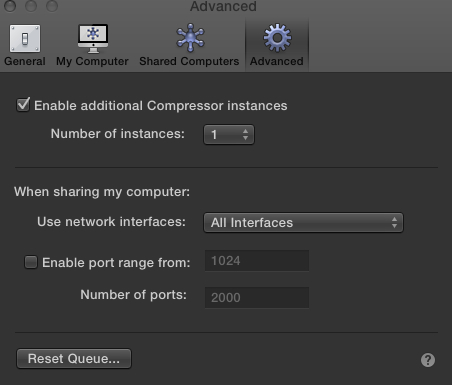
OK, I'm stumped. What are your hardware specs? Do you have network sharing turned off in Compressor? Set instances to 1?
Please Log in to join the conversation.
28 Dec 2013 17:10 - 28 Dec 2013 17:14 #37531
by wdevn
LLAP,
James
Taipei, Taiwan
Replied by wdevn on topic Compressor 4.1 : Unable to submit
Ben,
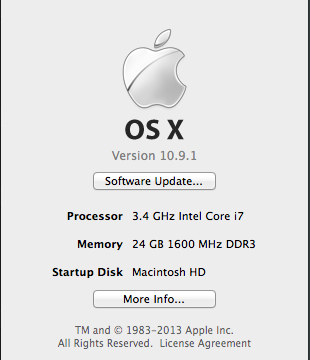
I am using a 27-inch late 2013 iMac with 24 GB of 1600 MHz DDR3 RAM and 10.9.1.
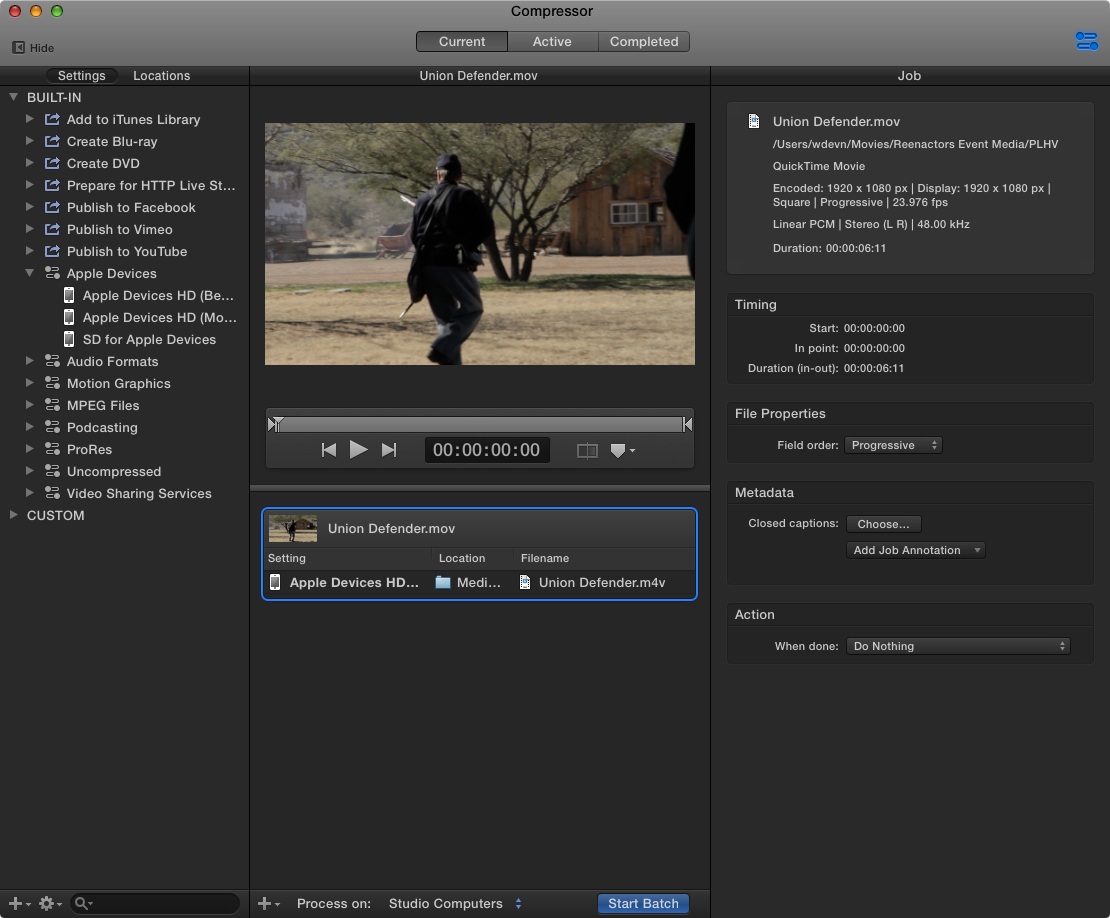
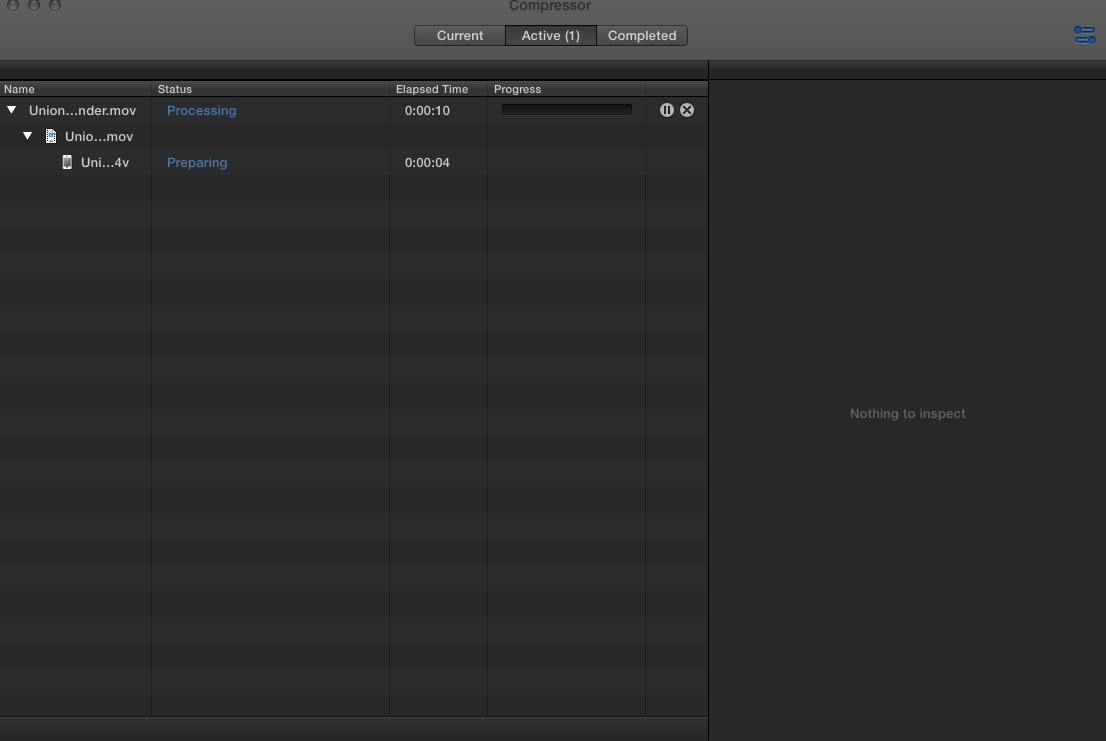
I used a video from a RT course to test. On the Compressor "Active" screen you see 1 job. It just stays there. Nothing happens.... no file is made.... buggy..
I am using a 27-inch late 2013 iMac with 24 GB of 1600 MHz DDR3 RAM and 10.9.1.
I used a video from a RT course to test. On the Compressor "Active" screen you see 1 job. It just stays there. Nothing happens.... no file is made.... buggy..
LLAP,
James
Taipei, Taiwan
Last edit: 28 Dec 2013 17:14 by wdevn.
Please Log in to join the conversation.
29 Dec 2013 01:53 #37580
by BenB
Replied by BenB on topic Compressor 4.1 : Unable to submit
Yeah, that is odd. I'm stumped! Submit a feedback report to Apple.
Please Log in to join the conversation.
29 Dec 2013 02:47 #37582
by dgwvideo
Creating history....one edit at a time !
Replied by dgwvideo on topic Compressor 4.1 : Unable to submit
It's worth a shot to log in as a new user account and try it again.
Creating history....one edit at a time !
Please Log in to join the conversation.
