


- Posts: 407
- Thank you received: 16
3 Post Moderation Rule for New Boarders (25 Jan 2021)
New boarders will have their posts moderated - Don't worry if you cannot see your post immediately.
Layers won't move properly.
05 May 2022 18:52 #120418
by Albo
Layers won't move properly. was created by Albo
I am having this issue where I can't move a layer on top or under another layer.
Layers can be locked or unlocked. It won't place it. It goes two layer up or two layers down.
Sometimes it works other times not.
Anyone else is having this problem ?
Layers can be locked or unlocked. It won't place it. It goes two layer up or two layers down.
Sometimes it works other times not.
Anyone else is having this problem ?
Please Log in to join the conversation.


05 May 2022 19:02 #120419
by Herve
Replied by Herve on topic Layers won't move properly.
Hi Albo, what exactly do you mean by layer? and where? top of timeline or bottom? a screenshot may help.
I can move anything anywhere on top of the timeline. storyline, title, adjustment layers etc. on test OS and FCP 10.6.2
The only thing I can think of is the audio roles but I'm guessing this isn't about audio.
I can move anything anywhere on top of the timeline. storyline, title, adjustment layers etc. on test OS and FCP 10.6.2
The only thing I can think of is the audio roles but I'm guessing this isn't about audio.
Please Log in to join the conversation.
05 May 2022 19:15 #120420
by Albo
Replied by Albo on topic Layers won't move properly.
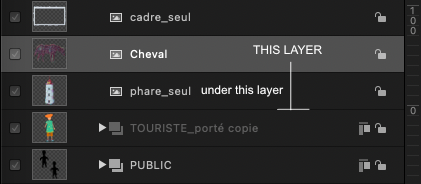
I can't move layers from top to bottom or bottom to top.
Timeline and layers window.
They jump two layers up. Might do a screen movie if needed.
Sometimes it does work, sometimes not.
Timeline and layers window.
They jump two layers up. Might do a screen movie if needed.
Sometimes it does work, sometimes not.
Please Log in to join the conversation.
06 May 2022 05:16 #120425
by Herve
Replied by Herve on topic Layers won't move properly.
gosh, I though you were talking about FCP sorry, no wonder I was confused.
It works here though. Moving groups and assets up and down in Motion can be tricky at times but I can definitely move them anywhere I want.
Have you tried to create a new project and copy and paste it in there. Sometimes I do that when I encounter weird behaviour with motions and seems to fix the issue. Other than that, maybe you can try 'reset preferences'. (Press and hold the Option and Command keys while opening the Motion app)
hope it helps
It works here though. Moving groups and assets up and down in Motion can be tricky at times but I can definitely move them anywhere I want.
Have you tried to create a new project and copy and paste it in there. Sometimes I do that when I encounter weird behaviour with motions and seems to fix the issue. Other than that, maybe you can try 'reset preferences'. (Press and hold the Option and Command keys while opening the Motion app)
hope it helps
Please Log in to join the conversation.
06 May 2022 12:19 #120427
by Albo
Replied by Albo on topic Layers won't move properly.
Yes. I did reset the preferences. No change.
When I drag a layer under another one it won't move.
I sometime have to drag two layers down to have it drop one layer.
Sometimes it just doesn't work.
I then go to the layers panel (not the timeline) and try it out there.
Might work...might not.
Quite an irritating bug (if it is one).
When I drag a layer under another one it won't move.
I sometime have to drag two layers down to have it drop one layer.
Sometimes it just doesn't work.
I then go to the layers panel (not the timeline) and try it out there.
Might work...might not.
Quite an irritating bug (if it is one).
Please Log in to join the conversation.

06 May 2022 21:05 - 06 May 2022 21:06 #120433
by dmetz
Replied by dmetz on topic Layers won't move properly.
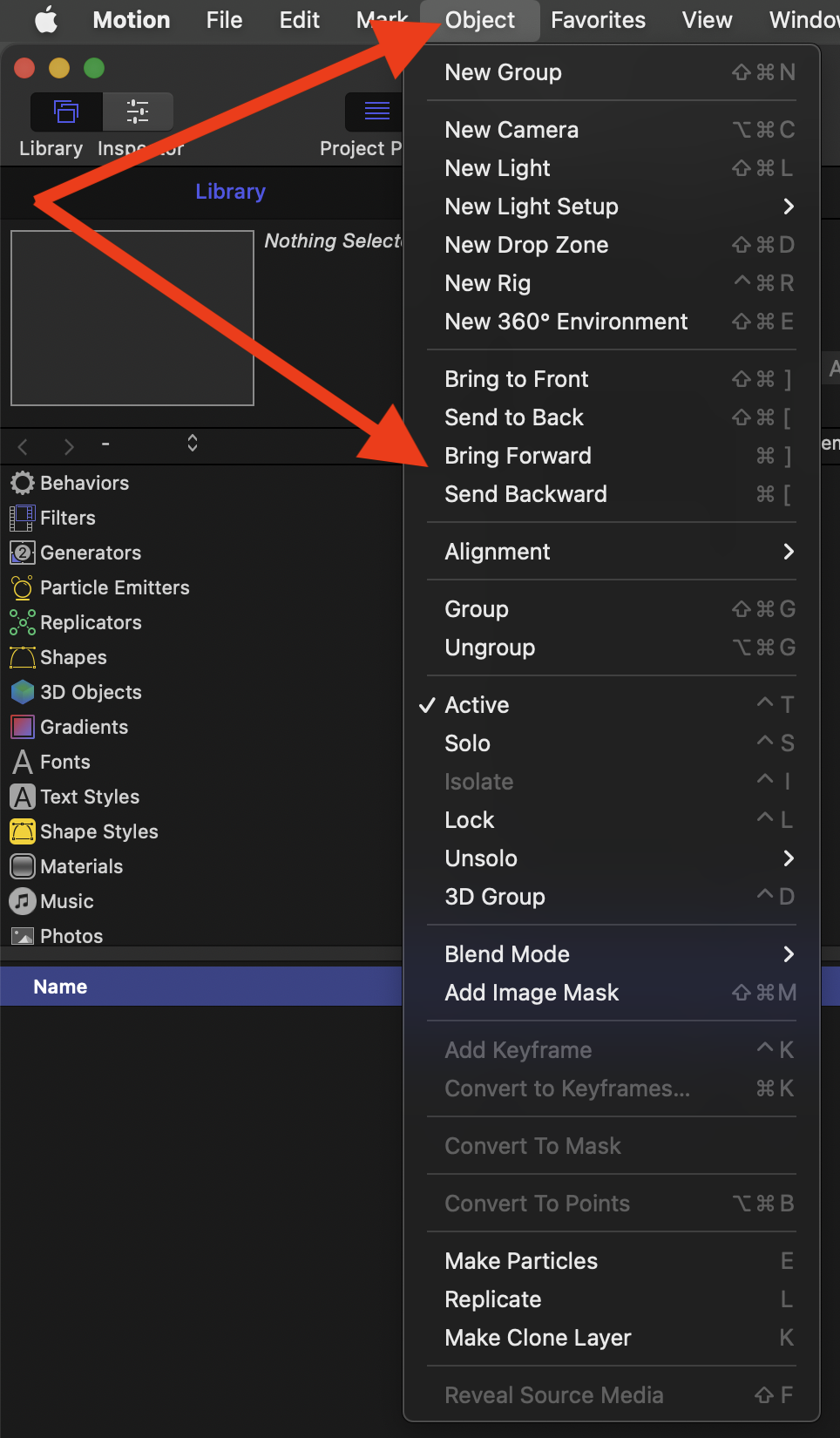
Does it move properly if you select the layer you want to move, and then choose "Bring Forward" or "Send Backward" in the Object menu?
Last edit: 06 May 2022 21:06 by dmetz.
Please Log in to join the conversation.
