


- Posts: 407
- Thank you received: 16
3 Post Moderation Rule for New Boarders (25 Jan 2021)
New boarders will have their posts moderated - Don't worry if you cannot see your post immediately.
Applying a gradient alpha to an image
06 Apr 2022 17:29 #119825
by Albo
Applying a gradient alpha to an image was created by Albo
Hello,
I have a PNG image on a layer.
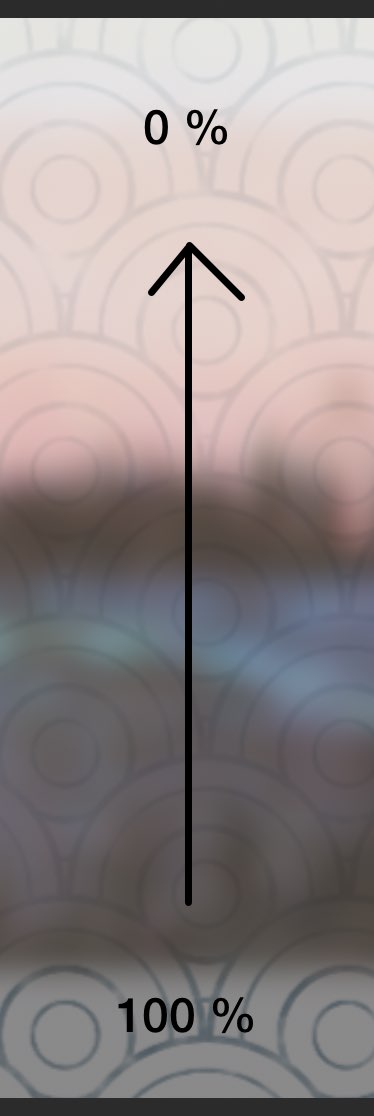
I would like the image to fade out to transparency. Bottom to top.
I can't seem to find this.
I am also using multiply on the layer.
The blurred image is the background.
The image with circles is the one I want to fade.
It will also be scaled and animated.
I have a PNG image on a layer.
I would like the image to fade out to transparency. Bottom to top.
I can't seem to find this.
I am also using multiply on the layer.
The blurred image is the background.
The image with circles is the one I want to fade.
It will also be scaled and animated.
Please Log in to join the conversation.
- RiccardoRiva
-

- Offline
- New Member
-

Less
More
- Posts: 2
- Thank you received: 0
07 Apr 2022 07:50 - 07 Apr 2022 08:52 #119845
by RiccardoRiva
Replied by RiccardoRiva on topic Applying a gradient alpha to an image
I think you could use a rectangle with a gradient fill, with opacity from 100% to 0% and apply that rectangle as Image mask
Last edit: 07 Apr 2022 08:52 by RiccardoRiva.
Please Log in to join the conversation.
