


- Posts: 14
- Thank you received: 0
3 Post Moderation Rule for New Boarders (25 Jan 2021)
New boarders will have their posts moderated - Don't worry if you cannot see your post immediately.
Scene Detection
28 Jun 2013 18:47 #27862
by Vuk
Scene Detection was created by Vuk
Is it possible to do Scene Detection in FCPX?
Please Log in to join the conversation.
28 Jun 2013 20:27 #27863
by canelson
--
Matias Canelson
www.canelson.us
Replied by canelson on topic Scene Detection
No, that feature is missing. I recommend you to fill a Feedback form here:
www.apple.com/feedback/finalcutpro.html
I did it because it would be very useful for some of the tasks I do at work.
www.apple.com/feedback/finalcutpro.html
I did it because it would be very useful for some of the tasks I do at work.
--
Matias Canelson
www.canelson.us
Please Log in to join the conversation.
29 Jun 2013 05:39 #27883
by Vuk
Replied by Vuk on topic Scene Detection
Yes it would. I guess for know I'm stuck with Adobe Fast Grade.
Thanx anyway
ps I'v send that form with the request for Scene Detection
Thanx anyway
ps I'v send that form with the request for Scene Detection
Please Log in to join the conversation.
- ronny courtens
-

- Offline
- Moderator
-

Less
More
- Posts: 4455
- Thank you received: 962
29 Jun 2013 10:40 - 29 Jun 2013 11:13 #27896
by ronny courtens
Replied by ronny courtens on topic Scene Detection
Neither Avid, Ppro, FCP7 or FCP10 have optical scene detection, this is a feature that finds more use in grading systems like Resolve etc... But I agree it would be a neat feature for quickly re-editing and grading a video master inside FCPX.
There is a dedicated software for optical scene detection ( www.scene-detector.com/prod/ ) that was created for FCP7/Avid. This software analyzes scene changes in a video file and exports the scene information in many formats, including as individual standalone or reference QT movies.
I had used it with FCP7 and Avid before, but never with FCPX until I read this thread. So I just did a test, and these are the results.
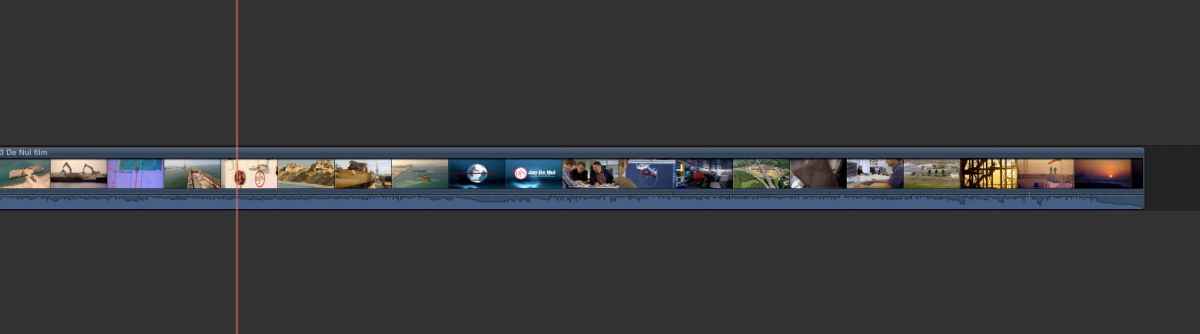
I imported the master file from a film we made in Dubai into FCPX and dropped it onto the timeline. Obviously the video showed as one single clip with different scene changes inside.
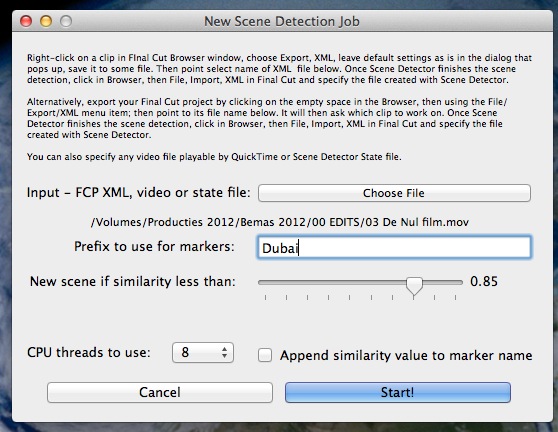
Then I opened my old SceneDetector software. It opens with a very simple UI that allows you to choose a File or a classic FCP XML (not FCPX XML) for analyzing.
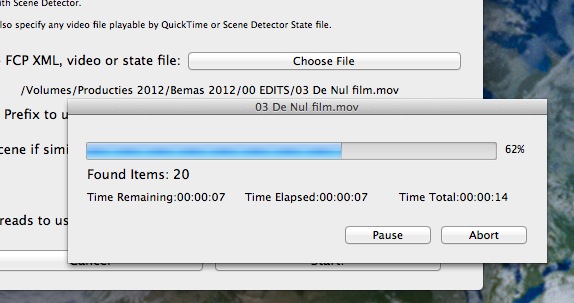
I selected the Dubai video master from its original location and pressed Start to analyze the video for scene changes. This is a short 2 minute version of the movie and it took the app 20 seconds to analyze it using 8 of the 12 available cores on my system (you can select how many cores the app uses).
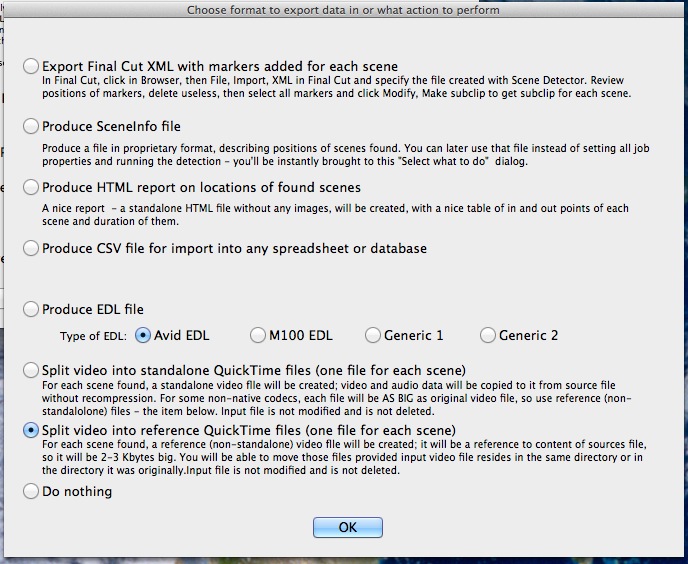
When the analyzing is done you get a new window offering different options for exporting your individual scenes. You can export the scenes as Final Cut XML and different kinds of EDL, but as FCPX does not work with classic FCP XML, nor does it import EDLs, without third party solutions I decided to select another option: "Split video into reference QT movies". Note: you also can export the scenes as standalone QT movies if you wish but this will create a new physical movie file for each scene.
I clicked OK, the software prompted for a destination and I created a new destination folder for the reference scene movies ("Scene Detection Dubai"). It took about 6 seconds to create the 34 reference movies.
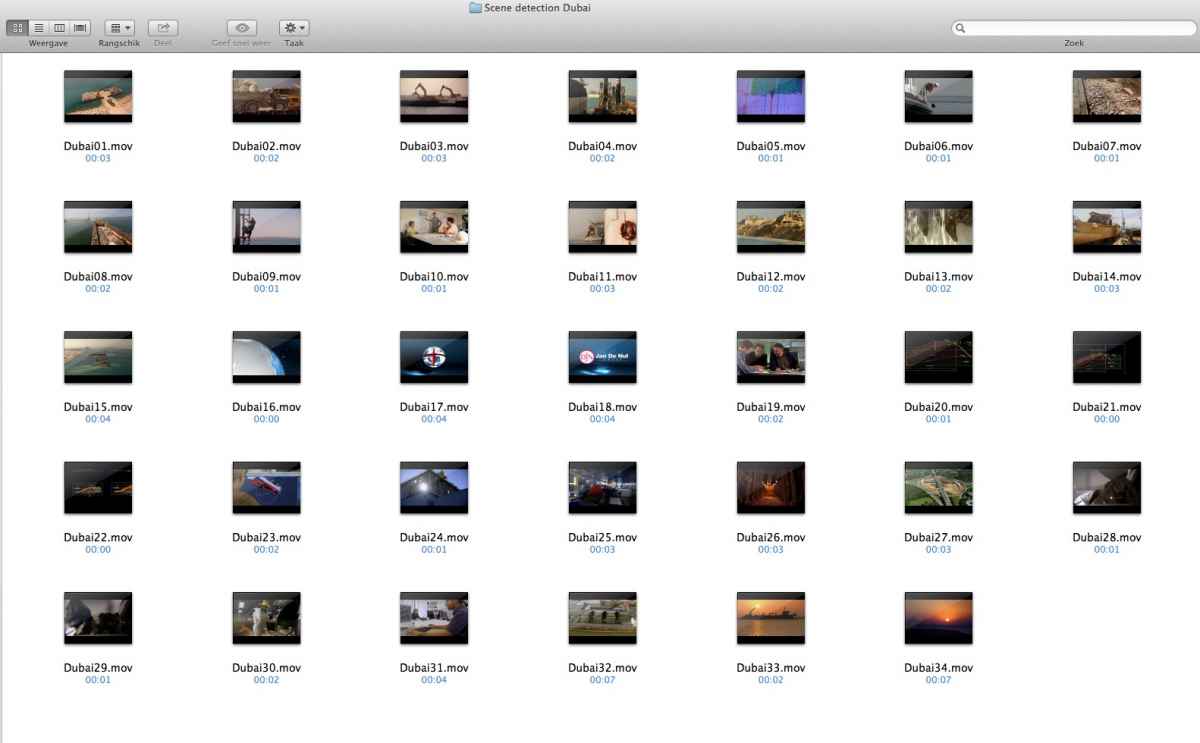
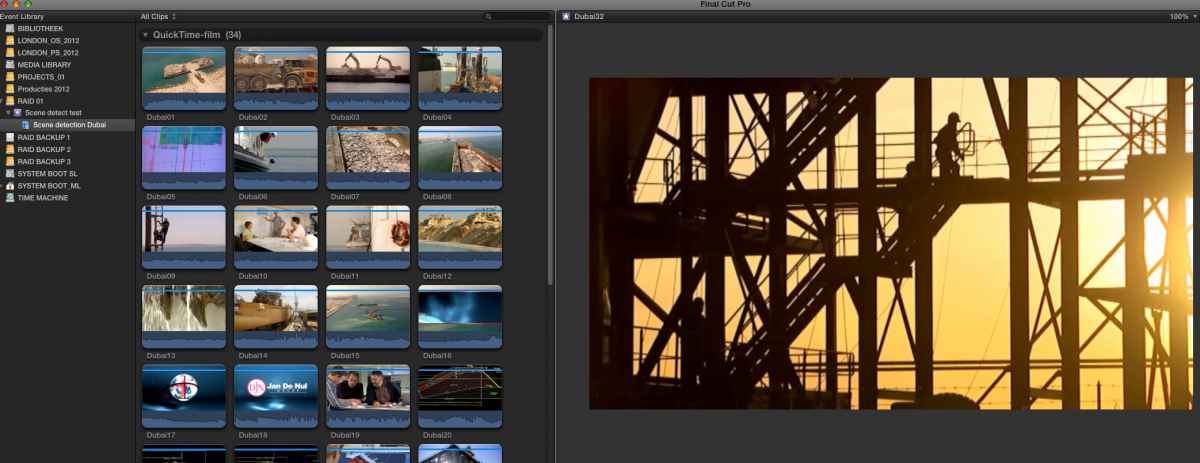
I imported the "Scene Detection Dubai' folder in FCPX and the folder showed up as a Keyword Collection in the Event Browser
Now all I had to do was press CMD+A to select all the scene clips and drop them on my timeline. What first was just a single clip now shows up as 34 clips, each representing a scene of the original movie and numbered in sequence.
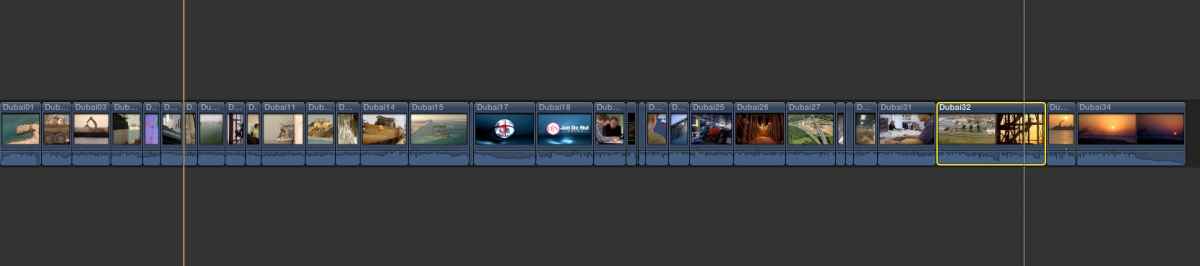
The scene detection is absolutely frame accurate, and it is fast. I only had to correct one clip where it had not detected the cut between two scenes (clip 32), but you can easily do this using the Blade tool. The whole process from opening the master file to getting the exported scene files into FCPX took less than 40 seconds. If you use the "QT reference" export option you don't create any new physical files, just a very small reference folder (291 KB for this job).
I don't think scene detection is high on the priority list for any NLE, as this feature is more frequently used in grading apps. If Apple would introduce this in FCPX they would have a unique feature. Until this happens you can use this software whenever you need to cut up and/or re-grade an old master file in FCPX, FCP or Avid. It does an excellent job detecting the scenes and exporting them as separate reference files. It costs 85 bucks, but if you are a professional and you have to deal with cutting up master files frequently that price represents only a fraction of the time you would spend doing it manually. There is a trial version available (limited to 5 minutes of video).
There is a dedicated software for optical scene detection ( www.scene-detector.com/prod/ ) that was created for FCP7/Avid. This software analyzes scene changes in a video file and exports the scene information in many formats, including as individual standalone or reference QT movies.
I had used it with FCP7 and Avid before, but never with FCPX until I read this thread. So I just did a test, and these are the results.
I imported the master file from a film we made in Dubai into FCPX and dropped it onto the timeline. Obviously the video showed as one single clip with different scene changes inside.
Then I opened my old SceneDetector software. It opens with a very simple UI that allows you to choose a File or a classic FCP XML (not FCPX XML) for analyzing.
I selected the Dubai video master from its original location and pressed Start to analyze the video for scene changes. This is a short 2 minute version of the movie and it took the app 20 seconds to analyze it using 8 of the 12 available cores on my system (you can select how many cores the app uses).
When the analyzing is done you get a new window offering different options for exporting your individual scenes. You can export the scenes as Final Cut XML and different kinds of EDL, but as FCPX does not work with classic FCP XML, nor does it import EDLs, without third party solutions I decided to select another option: "Split video into reference QT movies". Note: you also can export the scenes as standalone QT movies if you wish but this will create a new physical movie file for each scene.
I clicked OK, the software prompted for a destination and I created a new destination folder for the reference scene movies ("Scene Detection Dubai"). It took about 6 seconds to create the 34 reference movies.
I imported the "Scene Detection Dubai' folder in FCPX and the folder showed up as a Keyword Collection in the Event Browser
Now all I had to do was press CMD+A to select all the scene clips and drop them on my timeline. What first was just a single clip now shows up as 34 clips, each representing a scene of the original movie and numbered in sequence.
The scene detection is absolutely frame accurate, and it is fast. I only had to correct one clip where it had not detected the cut between two scenes (clip 32), but you can easily do this using the Blade tool. The whole process from opening the master file to getting the exported scene files into FCPX took less than 40 seconds. If you use the "QT reference" export option you don't create any new physical files, just a very small reference folder (291 KB for this job).
I don't think scene detection is high on the priority list for any NLE, as this feature is more frequently used in grading apps. If Apple would introduce this in FCPX they would have a unique feature. Until this happens you can use this software whenever you need to cut up and/or re-grade an old master file in FCPX, FCP or Avid. It does an excellent job detecting the scenes and exporting them as separate reference files. It costs 85 bucks, but if you are a professional and you have to deal with cutting up master files frequently that price represents only a fraction of the time you would spend doing it manually. There is a trial version available (limited to 5 minutes of video).
Last edit: 29 Jun 2013 11:13 by ronny courtens.
Please Log in to join the conversation.
29 Jun 2013 17:27 #27918
by Vuk
Replied by Vuk on topic Scene Detection
Thanx for advice I know about that software and it is working pretty good. But I still wish Apple put this feature in FCPX cause I love doing my grades in FCPX so easy and fast like everything else in this great app.
Cheers everyone happy holidays. :woohoo:
Brass
Cheers everyone happy holidays. :woohoo:
Brass
Please Log in to join the conversation.

01 Jul 2013 17:09 #28007
by tpayton
Replied by tpayton on topic Scene Detection
I used Resolve for Scene Detection. Exported a EDL, and then went from 7toX. However should be able to export a FCPXML right from Resovle. Worked great and free.
Denver Riddle has a little bit here:
Denver Riddle has a little bit here:
Please Log in to join the conversation.
02 Jul 2013 22:40 #28109
by Vuk
Replied by Vuk on topic Scene Detection
I'v actually found some software that is free. It worked fine, not perfect but helped me a lot. This software is still in experimental stage but It got lot of features.
forum.doom9.org/showthread.php?p=1528488
forum.doom9.org/showthread.php?p=1528488
Please Log in to join the conversation.

03 Jul 2013 09:43 #28132
by BenB
Replied by BenB on topic Scene Detection
Resolve is free, too.
Please Log in to join the conversation.
03 Jul 2013 14:58 #28153
by tpayton
Replied by tpayton on topic Scene Detection
From the looks of that other software. I believe Resolve is a tad more polished.
Please Log in to join the conversation.
03 Jul 2013 18:35 #28171
by Vuk
Replied by Vuk on topic Scene Detection
Da Vinci is an excellent software, but I don't know if I can use it on my iMac from 2008 (ATI Radeon HD 2600 Pro:). Since I'm still saving for a new iMac if maybe any additional drivers can help? If anybody knows please let me know.
Thanx
Brass
Thanx
Brass
Please Log in to join the conversation.
03 Jul 2013 21:30 #28179
by BenB
Replied by BenB on topic Scene Detection
I'm sure it'll run. Download it and try it, it's free.
Please Log in to join the conversation.
04 Jul 2013 19:13 #28229
by Vuk
Replied by Vuk on topic Scene Detection
It won't work (DaVinci Resolve) asking me for some OpenCL card or software which my iMac obviously do not have. 
Please Log in to join the conversation.
05 Jul 2013 06:49 #28245
by BenB
Replied by BenB on topic Scene Detection
Your iMac has an OpenCL GPU. Resolve may ask about GPU stuff at first, but it is picky. Just move past that, and it'll work on your iMac. It won't do some of the speed rendering and junk that a more powerful GPU would allow it to do. And I suspect that's all it is warning you about. But it will run on your iMac if you move past the warning. Be sure your OS is up to date, firmware is up to date. But if it doesn't, that's the first I've heard of it not running at all on a 2008 Mac. Could be some hardware compatibility issue I'm not aware of.
Please Log in to join the conversation.
05 Jul 2013 14:59 #28260
by Vuk
Replied by Vuk on topic Scene Detection
Right after I log in it crashes every time, it doesn't even open the start up window. And I got the latest everything.
Please Log in to join the conversation.
05 Jul 2013 16:55 #28264
by BenB
Replied by BenB on topic Scene Detection
OK, crashing would be a bad install or something. I'd try an uninstall and then a reinstall.
Please Log in to join the conversation.
01 Nov 2013 21:21 #33600
by webhead
Replied by webhead on topic Scene Detection
I just tried the SceneDetector demo under 10.9 and it does not seem to work. When I try to open a .MOV a dialog window pops up that is blank other than an "ok" button. This seems like a sweet tool to slice up my program feed out of a Blackmagic Design ATEM. I sent the publisher an email asking if there are any plans to update this app. No reply yet.
Please Log in to join the conversation.
- Russ Haskell
-

- Offline
- Elite Member
-

Less
More
- Posts: 176
- Thank you received: 24
02 Nov 2013 15:34 #33614
by Russ Haskell
Replied by Russ Haskell on topic Scene Detection
Just to say I have tried to run Resolve on a late 2009 iMac , which is Open CL, and it will not run at all.
Russ
Russ
Please Log in to join the conversation.

05 Sep 2015 15:10 #68057
by Emmanuel
Replied by Emmanuel on topic Scene Detection
Hi
I'm re-opening this thread, 2 years later.
I also need some scene detection. I suppose that the workflow is still to do it in Resolve and export an FCPXML ?
Cheers !
I'm re-opening this thread, 2 years later.
I also need some scene detection. I suppose that the workflow is still to do it in Resolve and export an FCPXML ?
Cheers !
Please Log in to join the conversation.
08 Sep 2015 22:19 #68212
by tpayton
That is what I would do. However, although it works it will require quite a bit of manual tweaking.
Replied by tpayton on topic Scene Detection
manoucho wrote: Hi
I'm re-opening this thread, 2 years later.
I also need some scene detection. I suppose that the workflow is still to do it in Resolve and export an FCPXML ?
Cheers !
That is what I would do. However, although it works it will require quite a bit of manual tweaking.
Please Log in to join the conversation.
