


3 Post Moderation Rule for New Boarders (25 Jan 2021)
New boarders will have their posts moderated - Don't worry if you cannot see your post immediately.
No blade in multi angle viewer
- sonictimbo
-
 Topic Author
- Offline
- Senior Member
-

Have I not pressed a button or something??
Please Log in to join the conversation.
- Tom Wolsky
-

- Offline
- Moderator
-

Please Log in to join the conversation.
- sonictimbo
-
Topic Author
- Offline
- Senior Member
-
Please Log in to join the conversation.
- Tom Wolsky
-
- Offline
- Moderator
-
Please Log in to join the conversation.
- sonictimbo
-
Topic Author
- Offline
- Senior Member
-
Please Log in to join the conversation.
- sonictimbo
-
Topic Author
- Offline
- Senior Member
-
How do I do it??
Please Log in to join the conversation.
- Tom Wolsky
-
- Offline
- Moderator
-
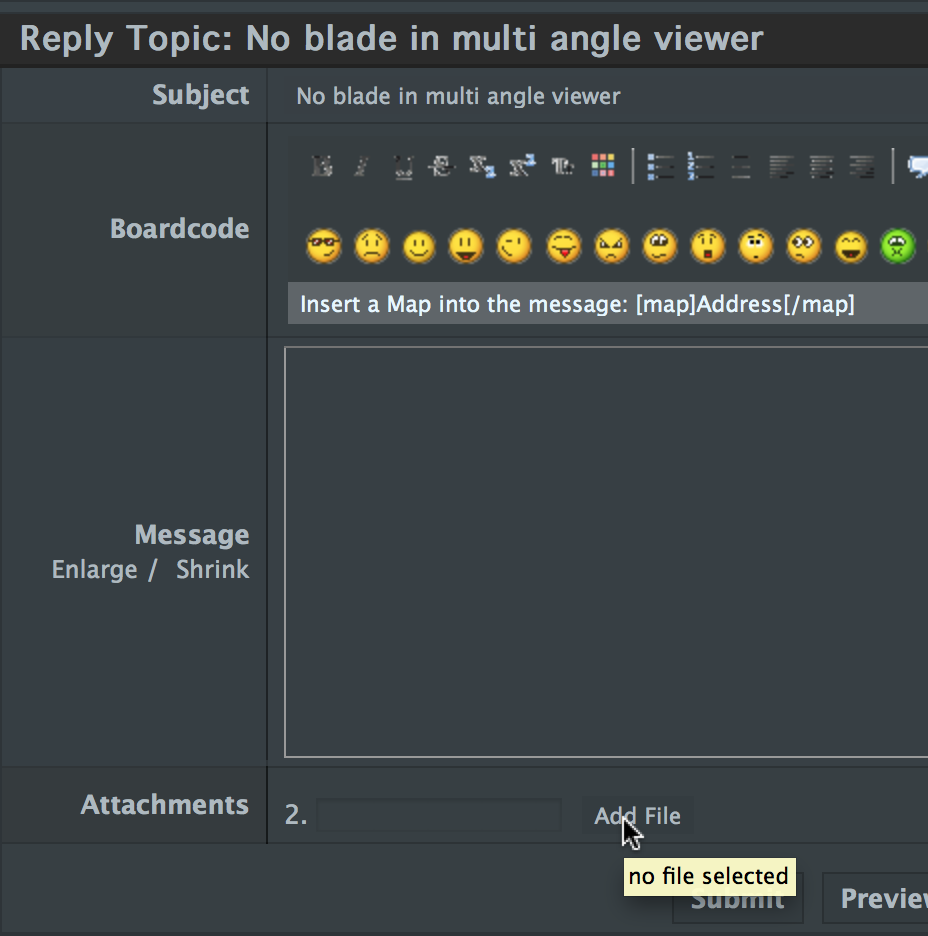
Click the Add File button and once the file is added click Insert.
Please Log in to join the conversation.
- sonictimbo
-
Topic Author
- Offline
- Senior Member
-
I'll do it again on this reply...
Please Log in to join the conversation.

Also, as to your problem did you try switching it OFF and ON again. Sounds simple but I've had similar issues before and it seems it was just FCP X slowing down to the point where it would no longer show cursors.
I have to say this seems to be happening more with 10.0.8 than it did with previous builds.
Sean Lander - Editing since 1982 - AVID 1991 - FCP 1999 - FCPX 2011
Please Log in to join the conversation.
- sonictimbo
-
Topic Author
- Offline
- Senior Member
-
I did try switching it off and on again, rebooting and deleting the multi angle clip and making a new one but it's behaving the same all the time. I was wandering if I had all my boxes ticked or preferences set right.
As to uploading my screenshot - I did export as a jpeg (the file is 1.4 Meg) that's pretty small I think!
Thanks again for your reply, it has only started doing this since I updated to 10.0.8
Please Log in to join the conversation.
- sonictimbo
-
Topic Author
- Offline
- Senior Member
-
Please Log in to join the conversation.
- sonictimbo
-
Topic Author
- Offline
- Senior Member
-
All working fine up 'till dropping the multicam clip into the timeline
Then all usual functionality (blade tool etc.) doesn't work
Any ideas?
Please Log in to join the conversation.

Please Log in to join the conversation.
- sonictimbo
-
Topic Author
- Offline
- Senior Member
-
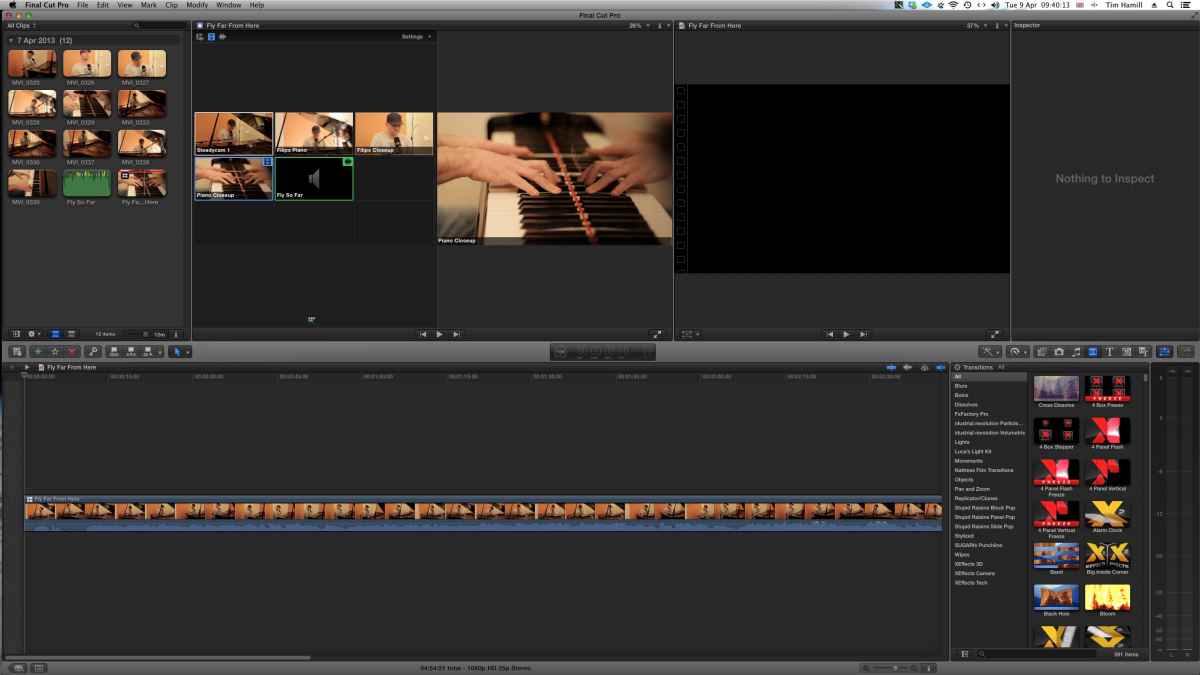
Can you see it now?
Please Log in to join the conversation.
- Habernigvideo
-
- Offline
- Junior Member
-

- Posts: 35
- Thank you received: 1
The work around I use is just to select a small range then delete the range. It's able to break the clip into 2 separate clips with rounded edges. so then you can trim either side of the clip [ or ] independently.
I know you could do this in 10.0.6 because I probably did this about 100 times back in December.
Please Log in to join the conversation.
- jjsanderson
-
- Offline
- Elite Member
-

If memory serves you can bash a gap clip into the storyline to forcibly break apart the multiclip. Bit of a workaround but not the end of the world.
Please Log in to join the conversation.
- sonictimbo
-
Topic Author
- Offline
- Senior Member
-
Apparently there's a 'viewer display' and an 'event viewer display' you can show angles in both
but you can only edit in the 'viewer display' I was trying to edit the 'event viewer display'
A ha!
Please Log in to join the conversation.
- jefgibbons
-
- Offline
- Junior Member
-
- Posts: 20
- Thank you received: 0
Please Log in to join the conversation.
- Tom Wolsky
-
- Offline
- Moderator
-
Please Log in to join the conversation.
- jefgibbons
-
- Offline
- Junior Member
-
- Posts: 20
- Thank you received: 0
Please Log in to join the conversation.
