


- Posts: 4
- Thank you received: 0
3 Post Moderation Rule for New Boarders (25 Jan 2021)
New boarders will have their posts moderated - Don't worry if you cannot see your post immediately.
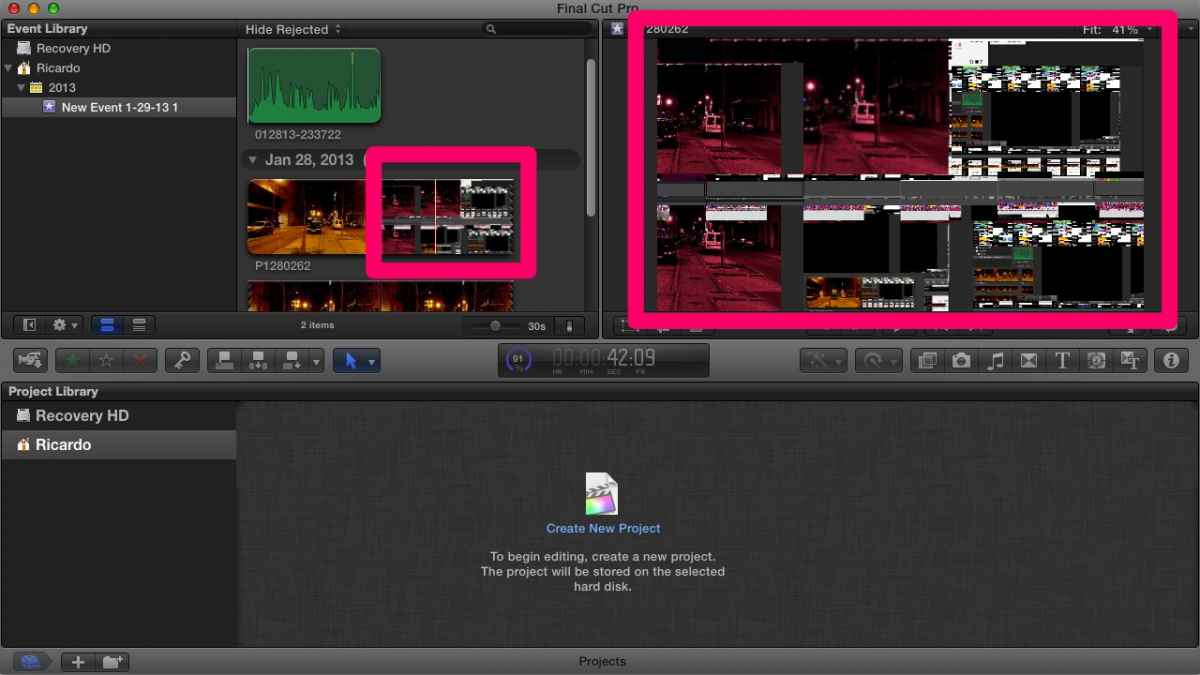
I don't know how to define this... Any video plays messed up.

29 Jan 2013 22:19 #20600
by BenB
Replied by BenB on topic I don't know how to define this... Any video plays messed up.
What was its source, what codec is it, how was it imported?
Please Log in to join the conversation.
30 Jan 2013 12:24 #20625
by scratsch
Replied by scratsch on topic I don't know how to define this... Any video plays messed up.
Source was a 720p MP4 from my Olympus Tough TG-810
It was imported via File > Import, from the desktop, where I had put the file.
I have also tried with a sample HD .mov straight from Apple's website, same problem...
It was imported via File > Import, from the desktop, where I had put the file.
I have also tried with a sample HD .mov straight from Apple's website, same problem...
Please Log in to join the conversation.
30 Jan 2013 12:39 #20628
by BenB
Replied by BenB on topic I don't know how to define this... Any video plays messed up.
Downloaded web videos are not ideal for working or comparing with. Optimize the clips first. If you don't do it on import, right-click them in the Event Browser, choose Transcode, then Optimize.
That level of camera, it probably has a proprietary version of MP4 that FCP X doesn't support.
That level of camera, it probably has a proprietary version of MP4 that FCP X doesn't support.
Please Log in to join the conversation.
30 Jan 2013 12:52 #20629
by scratsch
Replied by scratsch on topic I don't know how to define this... Any video plays messed up.
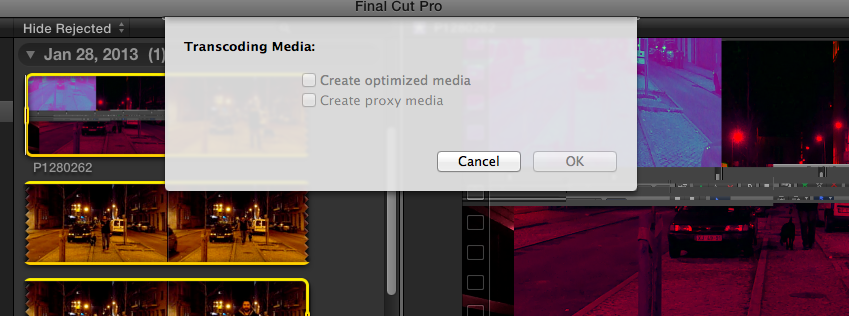
Attached is a screenshot of what I see when I do Transcode Media...
What filetype would be most sure-proof to test?
I am not too sure it is the filetype though. It is not obvious in the screenshot I'm sending here, but the mess in the player is actually parts of my windows on the background. Quite odd.
I am using this on a non-officially-supported Macbook 2,1 with an onboard Intel graphics card. I wonder if that should be the culprit, but at the same time, I have read that people have got FCPX working fine on "non supported" Macbooks, albeit with not-so-good performance.
What filetype would be most sure-proof to test?
I am not too sure it is the filetype though. It is not obvious in the screenshot I'm sending here, but the mess in the player is actually parts of my windows on the background. Quite odd.
I am using this on a non-officially-supported Macbook 2,1 with an onboard Intel graphics card. I wonder if that should be the culprit, but at the same time, I have read that people have got FCPX working fine on "non supported" Macbooks, albeit with not-so-good performance.
Please Log in to join the conversation.
30 Jan 2013 13:13 #20630
by BenB
Replied by BenB on topic I don't know how to define this... Any video plays messed up.
The camera is not on Apple's FCP X supported list.
No that MacBook is not supported.
The combination is probably the issue.
No that MacBook is not supported.
The combination is probably the issue.
Please Log in to join the conversation.
30 Jan 2013 13:16 #20631
by scratsch
Replied by scratsch on topic I don't know how to define this... Any video plays messed up.
Thanks... It's sad, because I was really hoping I could use FCPX's audio sync, to fuse audio from a second source with the audio from the camera. Guess I'll have to find another solution.
Please Log in to join the conversation.
