


- Posts: 1077
- Thank you received: 189
3 Post Moderation Rule for New Boarders (25 Jan 2021)
New boarders will have their posts moderated - Don't worry if you cannot see your post immediately.
Question about handling drives
- Andreas Kiel
-
 Topic Author
- Offline
- Platinum Member
-

Less
More
25 Dec 2012 17:03 - 25 Dec 2012 17:04 #19279
by Andreas Kiel
Question about handling drives was created by Andreas Kiel
While I'm just here online I'm asking myself a question I've heard from others quite often. Or better the question is whether there is the need of answering those question I've heard.
So imagine you got a lot of drives connected to your machine. Some are for real work others are a mirror (identical backup copy) of the work drives.
One could use the build in option to copy projects which change the UUIDs of everything which has an UUID to make this copy unique to avoid collisions. You also can use CCC or SuperDuper to make a verified copy of your workdrive. This has the advantage that you have real identical events and projects, but has the big disadvantage that in case both work disk and backup disk are mounted FCPX will be confused and throws out an error. Simple solution is to unmount the back drives before launching FCPX. This can be done in Finder or DiskUtility or with some of the 3rd party apps available. But it's kind of tedious work in case you have lot of drives -- many clicks.
So the idea I have is to use one of my internal scripts to create a "FCPX Launcher" app to unmount drives in a batch before launching FCPX. So some drives can be flagged as backup drives and will be unmounted (as long they are not in use) before you launch FCPX. Once the procedure is done FCPX will launch without errors.
Just a thought I had this afternoon.
Andreas
So imagine you got a lot of drives connected to your machine. Some are for real work others are a mirror (identical backup copy) of the work drives.
One could use the build in option to copy projects which change the UUIDs of everything which has an UUID to make this copy unique to avoid collisions. You also can use CCC or SuperDuper to make a verified copy of your workdrive. This has the advantage that you have real identical events and projects, but has the big disadvantage that in case both work disk and backup disk are mounted FCPX will be confused and throws out an error. Simple solution is to unmount the back drives before launching FCPX. This can be done in Finder or DiskUtility or with some of the 3rd party apps available. But it's kind of tedious work in case you have lot of drives -- many clicks.
So the idea I have is to use one of my internal scripts to create a "FCPX Launcher" app to unmount drives in a batch before launching FCPX. So some drives can be flagged as backup drives and will be unmounted (as long they are not in use) before you launch FCPX. Once the procedure is done FCPX will launch without errors.
Just a thought I had this afternoon.
Andreas
Last edit: 25 Dec 2012 17:04 by Andreas Kiel.
Please Log in to join the conversation.

25 Dec 2012 17:09 #19281
by mester
Replied by mester on topic Question about handling drives
Event manager X 
Please Log in to join the conversation.
- Andreas Kiel
-
Topic Author
- Offline
- Platinum Member
-
Less
More
- Posts: 1077
- Thank you received: 189
25 Dec 2012 17:17 #19282
by Andreas Kiel
Replied by Andreas Kiel on topic Question about handling drives
That is a nice piece of software (as any app Phillip does) but would not solve the problem described.
Andreas
Andreas
Please Log in to join the conversation.
25 Dec 2012 18:20 #19285
by mester
Replied by mester on topic Question about handling drives
I dont understand your problem then, nor your workflow 
Please Log in to join the conversation.
- Andreas Kiel
-
Topic Author
- Offline
- Platinum Member
-
Less
More
- Posts: 1077
- Thank you received: 189
25 Dec 2012 18:59 #19286
by Andreas Kiel
Replied by Andreas Kiel on topic Question about handling drives
It is not my problem nor it is my workflow. Were some thoughts about workflows and problems of others.
If you make a mirror of your work drive(s) -- maybe over night -- there will be identical files, folders (events and projects) on the backup drive(s) compared to the work drive(s).
So an earlier use of Event Manager X might be either overwritten or no help anyway, as there are "new" events/projects not covered.
So FCPX will find them on launch and throws out an error. The work around is to use Event Manager X again before launching FCPX -- but as said that might be tedious work with many drives.
One workaround is (in case you don't use Time Machine) to add a Time Machine info to the backup drives. In this case FCPX will ignore the drive(s).
Another option is to make the backup to an NAS or remote disks. But quite several users don't have either.
Andreas
If you make a mirror of your work drive(s) -- maybe over night -- there will be identical files, folders (events and projects) on the backup drive(s) compared to the work drive(s).
So an earlier use of Event Manager X might be either overwritten or no help anyway, as there are "new" events/projects not covered.
So FCPX will find them on launch and throws out an error. The work around is to use Event Manager X again before launching FCPX -- but as said that might be tedious work with many drives.
One workaround is (in case you don't use Time Machine) to add a Time Machine info to the backup drives. In this case FCPX will ignore the drive(s).
Another option is to make the backup to an NAS or remote disks. But quite several users don't have either.
Andreas
Please Log in to join the conversation.
25 Dec 2012 22:39 #19294
by DaveG
Replied by DaveG on topic Question about handling drives
Andreas,
I understand what you are saying and agree that it would be useful. It's too bad FCP X at this point doesn't have a way to un-mount or un-view drives you don't want it to see, but maybe down the road. In the meantime, what you propose makes good sense.
Personally, I don't even use Event Manager, I still do what needs to be done manually before I ever launch FCP X. (I'm also in the habit of backing up my work only after I've finished and quit FCP X, so I don't run into conflicts at the other end either.) I've been doing it this way since almost day one, so I don't think twice about it.
In my case, editing on my MBP, it's easy because I don't connect a drive unless I plan to use it for editing, so it's a no-brainer. But, like you, I've seen in many, many posts here and elsewhere of people complaining about just this issue.
What would be very cool would be an app that combined what Event Manager X does and what you propose.
Thanks,
Dave
I understand what you are saying and agree that it would be useful. It's too bad FCP X at this point doesn't have a way to un-mount or un-view drives you don't want it to see, but maybe down the road. In the meantime, what you propose makes good sense.
Personally, I don't even use Event Manager, I still do what needs to be done manually before I ever launch FCP X. (I'm also in the habit of backing up my work only after I've finished and quit FCP X, so I don't run into conflicts at the other end either.) I've been doing it this way since almost day one, so I don't think twice about it.
In my case, editing on my MBP, it's easy because I don't connect a drive unless I plan to use it for editing, so it's a no-brainer. But, like you, I've seen in many, many posts here and elsewhere of people complaining about just this issue.
What would be very cool would be an app that combined what Event Manager X does and what you propose.
Thanks,
Dave
Please Log in to join the conversation.
- Andreas Kiel
-
Topic Author
- Offline
- Platinum Member
-
Less
More
- Posts: 1077
- Thank you received: 189
26 Dec 2012 16:09 #19318
by Andreas Kiel
Replied by Andreas Kiel on topic Question about handling drives
I've uploaded a simple version of a batch mounter/unmounter.
It's pretty fast, but lacks the prefs functionality.
So if anyone wants to try it.
www.spherico.com/filmtools/diskHandler/diskHandler.dmg
Andreas
It's pretty fast, but lacks the prefs functionality.
So if anyone wants to try it.
www.spherico.com/filmtools/diskHandler/diskHandler.dmg
Andreas
Please Log in to join the conversation.

26 Dec 2012 22:51 - 27 Dec 2012 00:55 #19331
by anickt
Replied by anickt on topic Question about handling drives
CCC allows you to create your backup inside a folder. Since it's not at root FCP X does not see it but it is otherwise still a clone. I back up my entire RAID which contains all of my projects, events and other materials to a folder on a second RAID. Never had a problem and FCP X cannot see it.
Also I highly recommend Event Manager X. For $5 it's a no-brainer. It surprises me when people say they don't use it.
EDIT - before backing up I take everything offline using Event Manager X. This prevents redundant files in your backup.
Also I highly recommend Event Manager X. For $5 it's a no-brainer. It surprises me when people say they don't use it.
EDIT - before backing up I take everything offline using Event Manager X. This prevents redundant files in your backup.
Last edit: 27 Dec 2012 00:55 by anickt. Reason: Added info
Please Log in to join the conversation.

27 Dec 2012 00:32 #19339
by BenB
Replied by BenB on topic Question about handling drives
I tried diskHandler and this is what I get when trying to launch it.
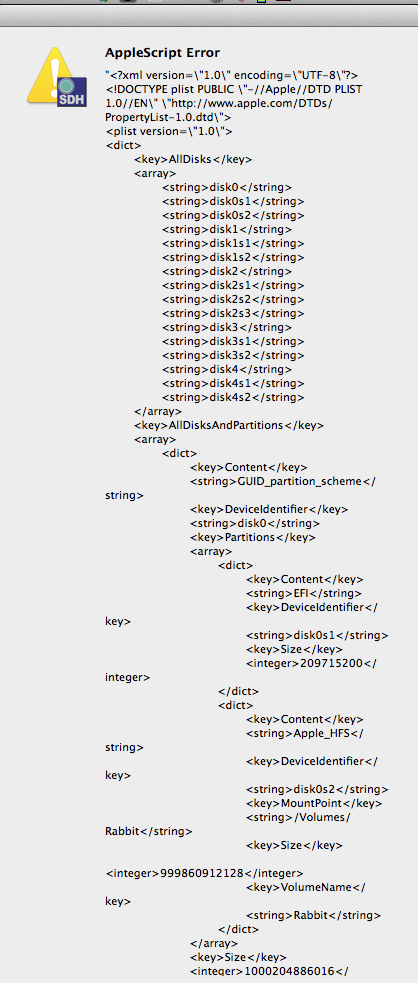
And there's no way to close the window, so I have to do a force quit.
And there's no way to close the window, so I have to do a force quit.
Please Log in to join the conversation.
- Andreas Kiel
-
Topic Author
- Offline
- Platinum Member
-
Less
More
- Posts: 1077
- Thank you received: 189
27 Dec 2012 08:47 #19351
by Andreas Kiel
Replied by Andreas Kiel on topic Question about handling drives
I just realized there was a bundle missing in the version I uploaded.
Just download again.
Something I realized when I connect several drives last night is that the app might stall a while when a corrupted drive is connected. In case it happens just wait a while in the first loop for checking drives it will show all non corrupted drives.
Andreas
Just download again.
Something I realized when I connect several drives last night is that the app might stall a while when a corrupted drive is connected. In case it happens just wait a while in the first loop for checking drives it will show all non corrupted drives.
Andreas
Please Log in to join the conversation.
- Andreas Kiel
-
Topic Author
- Offline
- Platinum Member
-
Less
More
- Posts: 1077
- Thank you received: 189
27 Dec 2012 16:01 #19356
by Andreas Kiel
Replied by Andreas Kiel on topic Question about handling drives
I've uploaded a new version again.
I allows to create "smart user disk setup files" which you just can double-click in the Finder to mount or unmount your disks.
www.spherico.com/filmtools/diskHandler/diskHandler.dmg
Don't worry about destroying something. The app is a read only app (different from FCPX). The only thing it writes are the "smart user disk setup files" as a normal XML.
Would appreciate any feedback.
Andreas
I allows to create "smart user disk setup files" which you just can double-click in the Finder to mount or unmount your disks.
www.spherico.com/filmtools/diskHandler/diskHandler.dmg
Don't worry about destroying something. The app is a read only app (different from FCPX). The only thing it writes are the "smart user disk setup files" as a normal XML.
Would appreciate any feedback.
Andreas
Please Log in to join the conversation.
27 Dec 2012 16:10 - 27 Dec 2012 16:22 #19357
by BenB
Replied by BenB on topic Question about handling drives
Overall, looks like a really awesome app with good use in the studios/environments that need it. Nice job! Bravo!
Question #1, this is vital for us "older" users. The window and text is SO TINY I can barely read it on my 30" Cinema Display. I have this display so I don't have to wear glasses while at my computer. Something that drives me crazy. But even with this big screen at a lower resolution (meaning things like text get bigger), your screen is by far the smallest type and hardest to read. If you could increase the window size and text size, I'd actually promote this.
Question #2, "some" disk images are shown as non-FCPX drives, when they can in fact be used, and often are needed to use with FCPX. I assume you have a logic to what disk images are FCPX drives, and which are not?
Question #3, again some disk images do and some don't show up in the preferences to create custom setups. I see in the help doc that you do state preferences may not work. Can I assume this is one of those pref issues?
Question #4, what does "Custom Decision" do exactly?
Question #1, this is vital for us "older" users. The window and text is SO TINY I can barely read it on my 30" Cinema Display. I have this display so I don't have to wear glasses while at my computer. Something that drives me crazy. But even with this big screen at a lower resolution (meaning things like text get bigger), your screen is by far the smallest type and hardest to read. If you could increase the window size and text size, I'd actually promote this.
Question #2, "some" disk images are shown as non-FCPX drives, when they can in fact be used, and often are needed to use with FCPX. I assume you have a logic to what disk images are FCPX drives, and which are not?
Question #3, again some disk images do and some don't show up in the preferences to create custom setups. I see in the help doc that you do state preferences may not work. Can I assume this is one of those pref issues?
Question #4, what does "Custom Decision" do exactly?
Last edit: 27 Dec 2012 16:22 by BenB.
Please Log in to join the conversation.
- Andreas Kiel
-
Topic Author
- Offline
- Platinum Member
-
Less
More
- Posts: 1077
- Thank you received: 189
27 Dec 2012 16:53 #19358
by Andreas Kiel
Replied by Andreas Kiel on topic Question about handling drives
Ben all good questions!
#1 font size
Apple never made it possible to match font sizes match the screen sizes (there are discussion since years) so I decided to use a font size which can be big enough for 1920x1280 px. I'm probably even older than you and need glasses as well, but I can read them without glasses on my 1920x1280 screens. But shouldn't be a problem to make them bigger. But this also includes that the whole UI gets bigger, so somebody working on his small sized screen on a laptop might be overwhelmed
#2 non-FCPX drives
This doesn't mean that they are not useable for FCPX it only means that no events are found on this drive (in case it's mounted -- ? means that the drive is not mounted).
#3 the prefs
The prefs show the state of the disks at launch time, after that they don't change. I'm just in a state to make an "equalize" option between current state and the prefs.
#4
That's the best question of all. I have no idea what that means as I'm not a native English man. It just means some kind of "no decision yet". I would appreciate any idea for that.
Andreas
#1 font size
Apple never made it possible to match font sizes match the screen sizes (there are discussion since years) so I decided to use a font size which can be big enough for 1920x1280 px. I'm probably even older than you and need glasses as well, but I can read them without glasses on my 1920x1280 screens. But shouldn't be a problem to make them bigger. But this also includes that the whole UI gets bigger, so somebody working on his small sized screen on a laptop might be overwhelmed
#2 non-FCPX drives
This doesn't mean that they are not useable for FCPX it only means that no events are found on this drive (in case it's mounted -- ? means that the drive is not mounted).
#3 the prefs
The prefs show the state of the disks at launch time, after that they don't change. I'm just in a state to make an "equalize" option between current state and the prefs.
#4
That's the best question of all. I have no idea what that means as I'm not a native English man. It just means some kind of "no decision yet". I would appreciate any idea for that.
Andreas
Please Log in to join the conversation.
- Andreas Kiel
-
Topic Author
- Offline
- Platinum Member
-
Less
More
- Posts: 1077
- Thank you received: 189
27 Dec 2012 17:03 #19360
by Andreas Kiel
Replied by Andreas Kiel on topic Question about handling drives
I forgot:
Have you downloaded the version from about 1 hour ago?
Andreas
Have you downloaded the version from about 1 hour ago?
Andreas
Please Log in to join the conversation.
27 Dec 2012 17:23 #19361
by BenB
Replied by BenB on topic Question about handling drives
Yes, I downloaded it about an hour and 20 minutes ago.
#1, not other window from any app has text this tiny, except for FCP 7 (HA!). And on my 15" rMBP it is REALLY tiny. Seriously. It is by far the tiniest screen of any app I've used. A larger window would be a huge plus in my opinion. It is simply way tiny on my screens.
#2 Ah ha! That makes sense! Very cool feature to show that!
#3 Yeah, that's what I figured. The refresh doesn't effect it. That's cool, not a big deal.
#4 So clicking this button does... nothing? Why is it there? What is its function?
#1, not other window from any app has text this tiny, except for FCP 7 (HA!). And on my 15" rMBP it is REALLY tiny. Seriously. It is by far the tiniest screen of any app I've used. A larger window would be a huge plus in my opinion. It is simply way tiny on my screens.
#2 Ah ha! That makes sense! Very cool feature to show that!
#3 Yeah, that's what I figured. The refresh doesn't effect it. That's cool, not a big deal.
#4 So clicking this button does... nothing? Why is it there? What is its function?
Please Log in to join the conversation.
- Andreas Kiel
-
Topic Author
- Offline
- Platinum Member
-
Less
More
- Posts: 1077
- Thank you received: 189
27 Dec 2012 17:36 #19362
by Andreas Kiel
Replied by Andreas Kiel on topic Question about handling drives
#1
I will make it "bigger"
#4
that's what it is supposed to do, it set's every rule to nothing.
Andreas
I will make it "bigger"
#4
that's what it is supposed to do, it set's every rule to nothing.
Andreas
Please Log in to join the conversation.
27 Dec 2012 18:06 - 27 Dec 2012 18:08 #19363
by BenB
Replied by BenB on topic Question about handling drives
So for question #4, that button does nothing and is a useless piece of eye candy? It neither mounts nor unmounts nor prompts what to do? Why include it if it does nothing?
If you make the text larger a tiny bit more, I'd be super grateful!
If you make the text larger a tiny bit more, I'd be super grateful!
Last edit: 27 Dec 2012 18:08 by BenB.
Please Log in to join the conversation.
- Andreas Kiel
-
Topic Author
- Offline
- Platinum Member
-
Less
More
- Posts: 1077
- Thank you received: 189
27 Dec 2012 18:27 #19365
by Andreas Kiel
Replied by Andreas Kiel on topic Question about handling drives
Ben,
That's always the thing: the missing manual!
So if you got a bunch of drive/volumes selected and assign either force mount or unmount then this button will delete any of the mount/unmount settings. So if nothing is set nothing will happen.
The thing for me always is that in case I create something like this app I want to have real world beta testers different from the custom apps I create. Therefore those real world beta people only have rough idea about what the app is doing or could do. But it will help all others.
Andreas
That's always the thing: the missing manual!
So if you got a bunch of drive/volumes selected and assign either force mount or unmount then this button will delete any of the mount/unmount settings. So if nothing is set nothing will happen.
The thing for me always is that in case I create something like this app I want to have real world beta testers different from the custom apps I create. Therefore those real world beta people only have rough idea about what the app is doing or could do. But it will help all others.
Andreas
Please Log in to join the conversation.
27 Dec 2012 18:54 - 27 Dec 2012 18:58 #19366
by BenB
Replied by BenB on topic Question about handling drives
I have been writing user manuals for software longer than I will ever admit. So if you want something written up, let me know. I love this app, along with Event Manager X and that one that moves Motion/FCPX templates, and the one that makes creating disk images easier, we have a really powerful batch of utilities for FCP X. I'd love to see someone bundle all of these together in one suite. But getting so many developers to cooperate I've learned first hand can be overwhelming. LOL
So, the whatchacall it... crap, not the app won't open at all...
OK, had to re-download to get it to open again. So the "Keep As Custom Decision" button really does nothing. If that disk is already mounted, it stays mounted. If that disk is not mounted, it won't mount. I'd not call that a custom decision, but, um, a "No Decision" button. Got it. Yeah, need to figure out better wording for that.
Loving what you're doing here. Very nice.
So, the whatchacall it... crap, not the app won't open at all...
OK, had to re-download to get it to open again. So the "Keep As Custom Decision" button really does nothing. If that disk is already mounted, it stays mounted. If that disk is not mounted, it won't mount. I'd not call that a custom decision, but, um, a "No Decision" button. Got it. Yeah, need to figure out better wording for that.
Loving what you're doing here. Very nice.
Last edit: 27 Dec 2012 18:58 by BenB.
Please Log in to join the conversation.
- Andreas Kiel
-
Topic Author
- Offline
- Platinum Member
-
Less
More
- Posts: 1077
- Thank you received: 189
27 Dec 2012 19:39 #19368
by Andreas Kiel
Replied by Andreas Kiel on topic Question about handling drives
Okay a version with bigger font size and a modified "Keep As Custom Decision" is available. 
Andreas
Andreas
Please Log in to join the conversation.
