


3 Post Moderation Rule for New Boarders (25 Jan 2021)
New boarders will have their posts moderated - Don't worry if you cannot see your post immediately.
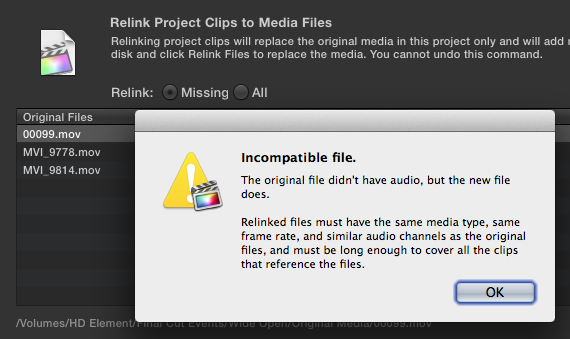
Relink error
- Betancourt
-
 Topic Author
- Offline
- Premium Member
-

Footage from a gopro and audio files are relinking Ok, but all the videos from a Canon 5D are giving me this error.
Any help appreciated,
Pablo
Pablo Betancourt
Please Log in to join the conversation.
- ronny courtens
-

- Offline
- Moderator
-

- Posts: 4455
- Thank you received: 962
I guess your Events and Projects folders are on your computer's startup drive, correct?
If so: Move your FCP10 Events and Projects onto the external drive (Events and Projects really should be on a separate drive anyway), then try relinking. !!! Move the Events and Projects from within FCP10 (File>Move Event / File>Move Project), don't just drag them onto the external drive. Much safer, especially when you work with simlinks (aliases) in your Events.
This has helped in similar cases. The "audio source" warning doesn't always mean what it says. But if this doesn't solve your issue, post back so we can look further into this.
Please Log in to join the conversation.
- Betancourt
-
Topic Author
- Offline
- Premium Member
-
My Projects and Events are already in a thunderbolt Lacie Drive. I use this drive only for fcpx, what i believe will give me a better performance. The original media is always in different drives, and yes, I've been working with aliases since I didn't find any advantage of optimizing media and the project became so big that is almost crazy to work with. What I did is moved the original media from a Lacie usb drive to a WD 3TB, because the first drive was full. I've been looking for a solution on apple support forums also, but it seems that once the header of the files had changed due to moving them, you are done.
Moving original media is something that i need to do, how will I be able to do it without modifing the headers?
Thanks!
Pablo Betancourt
Please Log in to join the conversation.
- ronny courtens
-
- Offline
- Moderator
-
- Posts: 4455
- Thank you received: 962
I use this drive only for fcpx, what i believe will give me a better performance.
That's correct, and a very good practice.
it seems that once the header of the files had changed due to moving them, you are done.
Unfortunately that's correct as well. That's why you should only start importing video files (especially .mts or .mxf files using simlinks) AFTER you have moved them to their final drive. OR you should create an Archive from your SD card (Import window > Create Archive) and import from the Archive. Then you can safely move the Archive to any other drive you wish without the risk of losing your clip connections.
Have you already edited these clips in a Project? If not you can just re-import the moved files back into your Event.
Please Log in to join the conversation.
- Betancourt
-
Topic Author
- Offline
- Premium Member
-
Yes, and unfortunately in a big edit. Will be very time consuming to do this all again.
Hope to see this big problem fixed in future updates. It's difficult to know the final place for the files, sometimes you need to organize them by client, and I cannot have 1 disk per client. I also find pretty strange that not many people is having this issue.
Anyway, many thanks for your help!
Best,
Pablo Betancourt
Please Log in to join the conversation.
- ronny courtens
-
- Offline
- Moderator
-
- Posts: 4455
- Thank you received: 962
Exactly what I was thinking. Seems not many people actually move their files after having imported them

On the other hand I know you can move QuickTime video files on the Finder level to another drive and relink them without any issues. I just tried this with some files. There only seems to be a problem with files imported from a card (mts or mxf) that have been imported as simlinks in FCP10. To prevent any issues with this you should create an Archive from your card (this only takes a few seconds) and then import from the Archive. Moving an Archive around doesn't seem to create any issues.
Please Log in to join the conversation.
- Betancourt
-
Topic Author
- Offline
- Premium Member
-
Thanks,
Pablo
Pablo Betancourt
Please Log in to join the conversation.
- ronny courtens
-
- Offline
- Moderator
-
- Posts: 4455
- Thank you received: 962
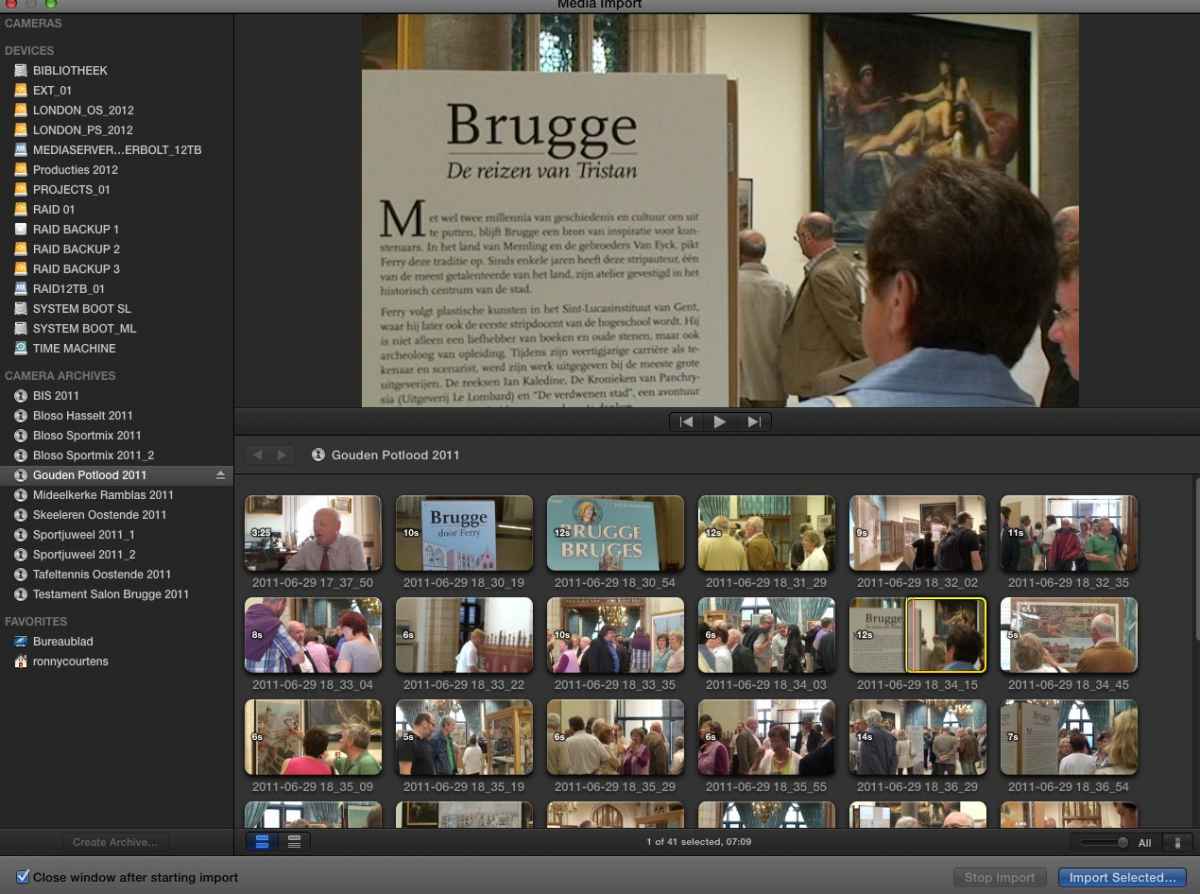
Click the Create Camera Archive button. A window will open where you can enter the appropriate name and location for the Camera Archive.
Final Cut Pro will begin transferring the data from your card to the Camera Archive.
Once your Archive is complete you can eject your camera or media card by clicking on the Eject icon next to the name of the card.
An Archive looks like this:
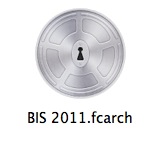
When you go to the Archive on your external drive you can R-click it and select "Show Contents". You will see all the video files from your card are in there.
You can import clips from an Archive in FCP10 just like you would import them from the original card. Select the Archive in your Import Files window and your clips will show. Make your selections and import in FCP10.
Please Log in to join the conversation.
- Betancourt
-
Topic Author
- Offline
- Premium Member
-


At project completion I move the project and often times the events thru FCPX to my external RAID 5 storage drive. I have never had to relink any files when calling them back up to make any changes or additions. This goes for referenced events and for copied events.
Creating history....one edit at a time !
Please Log in to join the conversation.
- ronny courtens
-
- Offline
- Moderator
-
- Posts: 4455
- Thank you received: 962
Always good to receive some extra input.
DVCPRO HD is a native QuickTime format. Moving the files after import does not seem to be problematic with these formats. All of the issues I have heard in this regard are with video from DSLR cameras. Canon video seems to be the most troublesome.
Furthermore when you move projects and events from within FCP10 the app makes sure your database gets updated and links are preserved after the move. That's a very good workflow you have adopted.
Please Log in to join the conversation.
- Betancourt
-
Topic Author
- Offline
- Premium Member
-
Maybe this issue of changing headers was fault of final cut projects and events created in earlier versions. Not sure, but could be.
Thanks!
Pablo
Pablo Betancourt
Please Log in to join the conversation.
- ronny courtens
-
- Offline
- Moderator
-
- Posts: 4455
- Thank you received: 962
Now that could be a very plausible explanation. Worth investigating.
Please Log in to join the conversation.

Please Log in to join the conversation.
- Betancourt
-
Topic Author
- Offline
- Premium Member
-
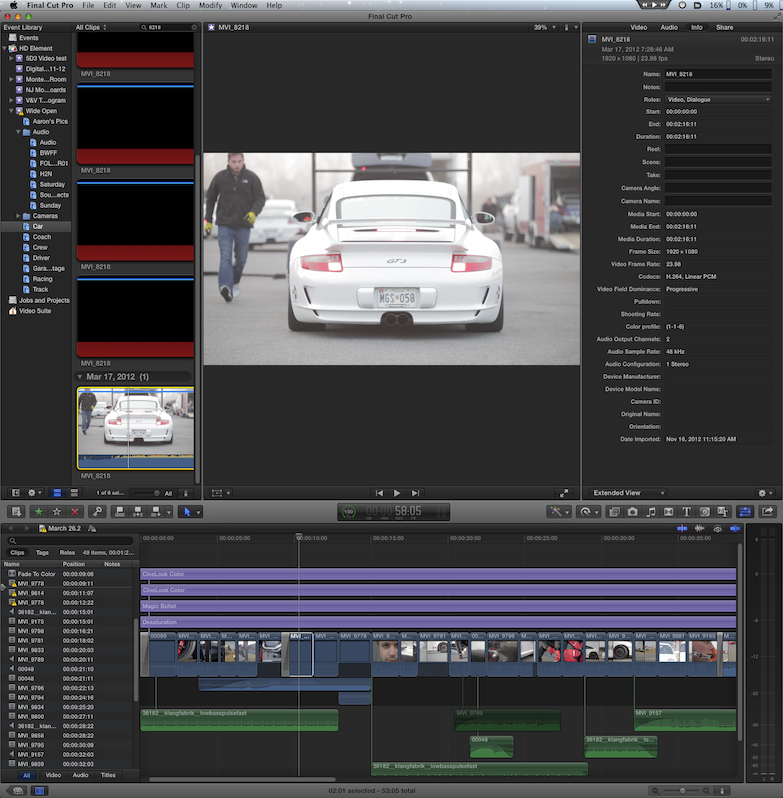
While the problem is the same (relinking files do not work properly) I can see the missing clip with the red sign and the yellow triangle telling you that the file is missing.
Which version of final cut are you working with? Did you create the project in the same version or in an older one? Did you move the file at finder level or you did it within fcpx?
I´m trying to move files from inside fcpx now, but it takes a lot of time and it seems to freeze the program. I need to test that further.
Best,
Pablo
Pablo Betancourt
Please Log in to join the conversation.
I have tried everything i can think of trying to get the clips to cooperate with each other at the finder level.
yes, this project is from an earlier version of FCPx- maybe even 10.0.4 (i am using 10.0.6).
yes, moved at finder level, but like I was saying, only 1/6 of my files are having problems.. FCPx doesn't seem to care if they were form the 5D's or the FS100 some converted, some not. No connection there.
While writing this post, I went ahead and used the "organize event files", under FCP's file menu. Seems to be locating the files as we speak! I can only hope that the keyword selects are repaired... 70% finished. I'll let you know-
Please Log in to join the conversation.
Please Log in to join the conversation.

What exactly did you move in the Finder, from where to where?
Please Log in to join the conversation.
Please Log in to join the conversation.
BINGO! MAYbe...! Or not...
You had "sims", files that only redirect to the original physical media that is outside of the Event folder structure. Man, moving those and their reference originals from one drive to another is a super bad idea.
If you mean the "reference clips" are the originals or optimized or proxy inside of their proper Event folder's proper structure, that is odd... as long as you kept the event folders in tact from the "Final Cut Events" folder on down.
I'm probably totally missing the point. But, anyway, remedial reading, stuff you probably already know, but just for the heck of it.
www.fcp.co/forum/7-fcpx-how-to-tutorials...cp-x-events-projects
Please Log in to join the conversation.
