




- Posts: 2
- Thank you received: 0
3 Post Moderation Rule for New Boarders (25 Jan 2021)
New boarders will have their posts moderated - Don't worry if you cannot see your post immediately.
Blu-ray menu authoring
13 Sep 2022 16:35 #122149
by pen2paper
Blu-ray menu authoring was created by pen2paper
Hi all, I have a Blu-ray in development with multiple titles (main feature, documentary, etc), and am trying to figure out the best place to start in putting together an interactive BD menu.
I seem to recall, for the DVD version of this, some years ago, we used FCP directly (I think, FCP 7) to implement a menu that was perfect for our needs, but I might be misremembering. Haven't a clue where to start this time around.
Basically, I would like to ask if it might be possible to design an interactive menu in FCP X specifically in mind for Blu-ray. The flow chart would be - disc inserted - pre-menu animation (repeating background .mov) with options to proceed to main menu (repeating background .mov) - from there, selections available to play main feature, supplementary content, subs, chapter screen, etc.
Any advice would be greatly appreciated.
I seem to recall, for the DVD version of this, some years ago, we used FCP directly (I think, FCP 7) to implement a menu that was perfect for our needs, but I might be misremembering. Haven't a clue where to start this time around.
Basically, I would like to ask if it might be possible to design an interactive menu in FCP X specifically in mind for Blu-ray. The flow chart would be - disc inserted - pre-menu animation (repeating background .mov) with options to proceed to main menu (repeating background .mov) - from there, selections available to play main feature, supplementary content, subs, chapter screen, etc.
Any advice would be greatly appreciated.
Please Log in to join the conversation.


13 Sep 2022 20:24 - 13 Sep 2022 20:38 #122156
by VTC
Replied by VTC on topic Blu-ray menu authoring
Did this a while back replacing the default animation background movie ('On Location') with one of my own making but for now I can't recall just where I found that default BR template movie file to replace with my own. (I'm always spelunking around within app & container packages so that's likely where I came across it.)

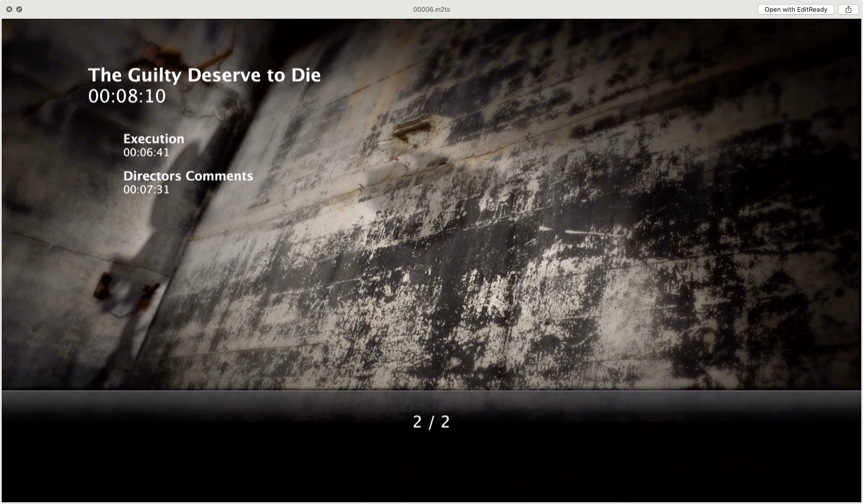
This is also doable in using the Compressor vers 4.5.5+ so you might want to check that avenue out.

support.apple.com/guide/compressor/job-a...ies-cpsr6463a5b3/mac
This is also doable in using the Compressor vers 4.5.5+ so you might want to check that avenue out.
support.apple.com/guide/compressor/job-a...ies-cpsr6463a5b3/mac
Last edit: 13 Sep 2022 20:38 by VTC.
Please Log in to join the conversation.
